
Drop your DLL file here
or click to browse files
Extract icons from Windows DLL files instantly. Browse all embedded icon resources and download as ICO or PNG. Perfect for system libraries like shell32.dll or imageres.dll. 100% browser-based - your files never leave your device.
or click to browse files
Windows Shell icons - folders, files, drives, and system icons
3,600+ high-resolution icons for modern Windows applications
Device and hardware icons - printers, monitors, devices
Network and connectivity icons
Windows Media Player icons and media symbols
Classic Windows program icons and shortcuts
Large files like imageres.dll load 100 icons at a time. Use "Load more" or "Load all" to browse the full set without freezing your browser.
Click any icon to open a full-size lightbox preview. Copy directly to clipboard as PNG for use in design tools or documents.
Advanced parsing of Windows PE files including DLL, EXE, OCX, CPL, SCR, and SYS formats with full resource tree traversal.
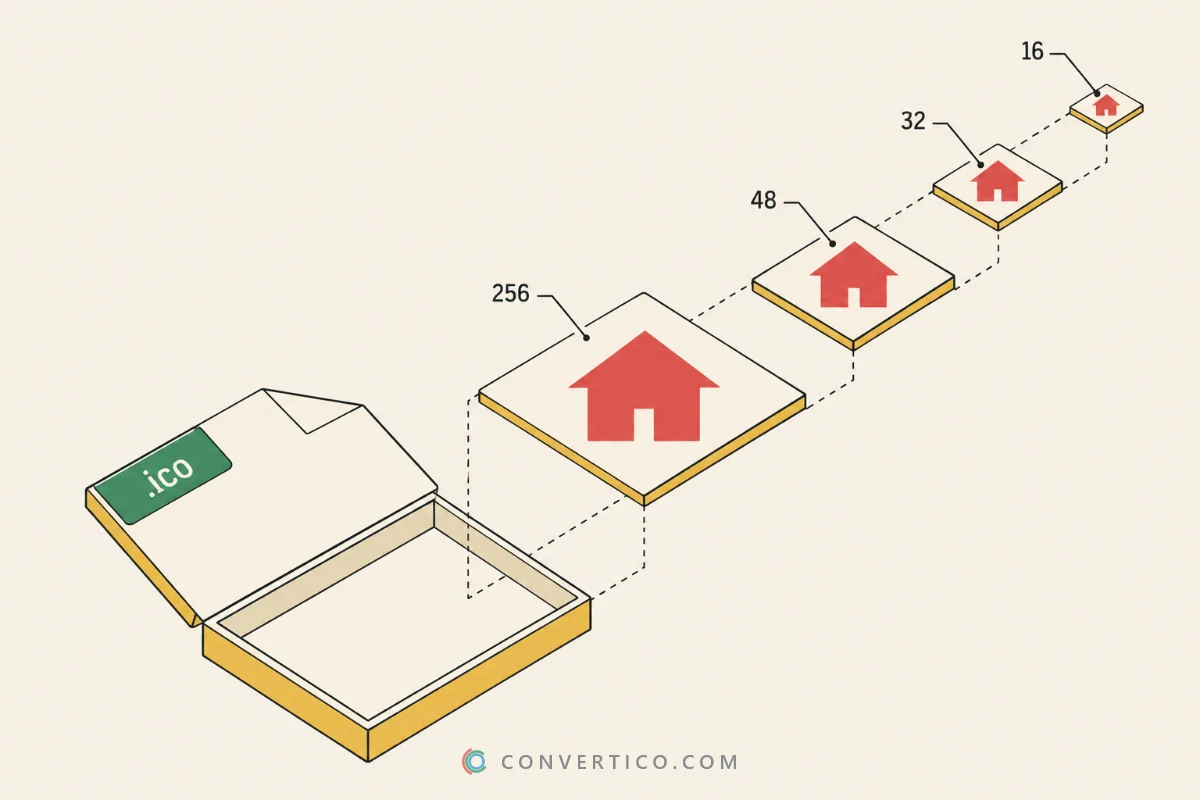
One-click export as a multi-size favicon ICO (16, 32, 48px) - ready to drop into your website's root folder.
All processing happens in your browser - DLL files are never uploaded to any server. Your data stays on your device.
Dynamic Link Library
Windows Executable
ActiveX Control
Control Panel Applet
Screen Saver
System Driver
A DLL (Dynamic Link Library) is a Windows file containing code and resources shared by multiple programs. System libraries like shell32.dll and imageres.dll store icon resources used by Windows Explorer and other applications. Extracting them lets you reuse these icons in your own projects or as website favicons.
Files like imageres.dll contain over 3,600 icons. Rendering all of them at once would slow down - or crash - your browser tab. The tool loads 100 at a time so the page stays fast. Click Load 100 more to see the next batch, or Load all remaining to show everything at once (use with caution on very large files).
Windows system DLLs are in C:\Windows\System32. Popular icon-rich ones: shell32.dll (folder and file icons), imageres.dll (3,600+ high-res icons), ddores.dll (device icons), and netshell.dll (network icons). Copy the file to your Desktop first, then upload it here.
Yes, completely safe. This tool processes files entirely in your browser - your DLL files are never uploaded to any server. All parsing and extraction happens locally on your device.
Click Export Favicon in the action bar. The tool automatically picks the best available 16x16, 32x32, and 48x48 icons and packages them into a single multi-size favicon.ico. You can also use our dedicated Favicon Generator for more control over the result.
Not all DLLs contain icon resources - many are pure code libraries. Some may use non-standard formats, be packed/encrypted, or store resources externally. Try our EXE Icon Extractor as an alternative. Still stuck? Contact us and we'll be happy to help!