App Icon Generator

Turn one image into every app icon you need - iOS, Android adaptive and themed icons, a macOS .icns and web favicons - in one ZIP, made in your browser. Designing the icon first? Start in the Icon Maker.

Drop your app icon here

or click to browse files

PNG JPG SVG WEBP GIF AVIF
Recommended: 1024×1024 PNG with transparency - or paste with Ctrl+V
How to generate app icons

  1. Upload your icon Drop a square PNG, SVG, JPG or WebP of 1024 x 1024 px or more, paste it with Ctrl+V, or try the sample.
  2. Pick the platforms Tick iOS, Android, macOS and Web. Each includes every size that platform asks for.
  3. Set the look Pick a solid, gradient or from-image background, add padding and check the live preview of every platform.
  4. Generate and download Press Generate All Icons - one ZIP with every icon, Contents.json, the Android XML, AppIcon.icns, manifest.json and a README.

Icon Sizes Generated

iOS

20×20, 29×29, 40×40, 58×58, 60×60, 76×76, 80×80, 87×87, 120×120, 152×152, 167×167, 180×180, 1024×1024 (all @1x, @2x, @3x variants) - or the Xcode 14+ single 1024 icon, with iOS 18 dark and tinted versions

Android

48×48 (mdpi), 72×72 (hdpi), 96×96 (xhdpi), 144×144 (xxhdpi), 192×192 (xxxhdpi), square and round, 512×512 for the Play Store, plus adaptive foreground, background and monochrome layers with the mipmap-anydpi-v26 XML

macOS

AppIcon.icns ready to use, plus the AppIcon.iconset: 16×16, 32×32, 64×64, 128×128, 256×256, 512×512, 1024×1024 (with @2x Retina variants)

Web

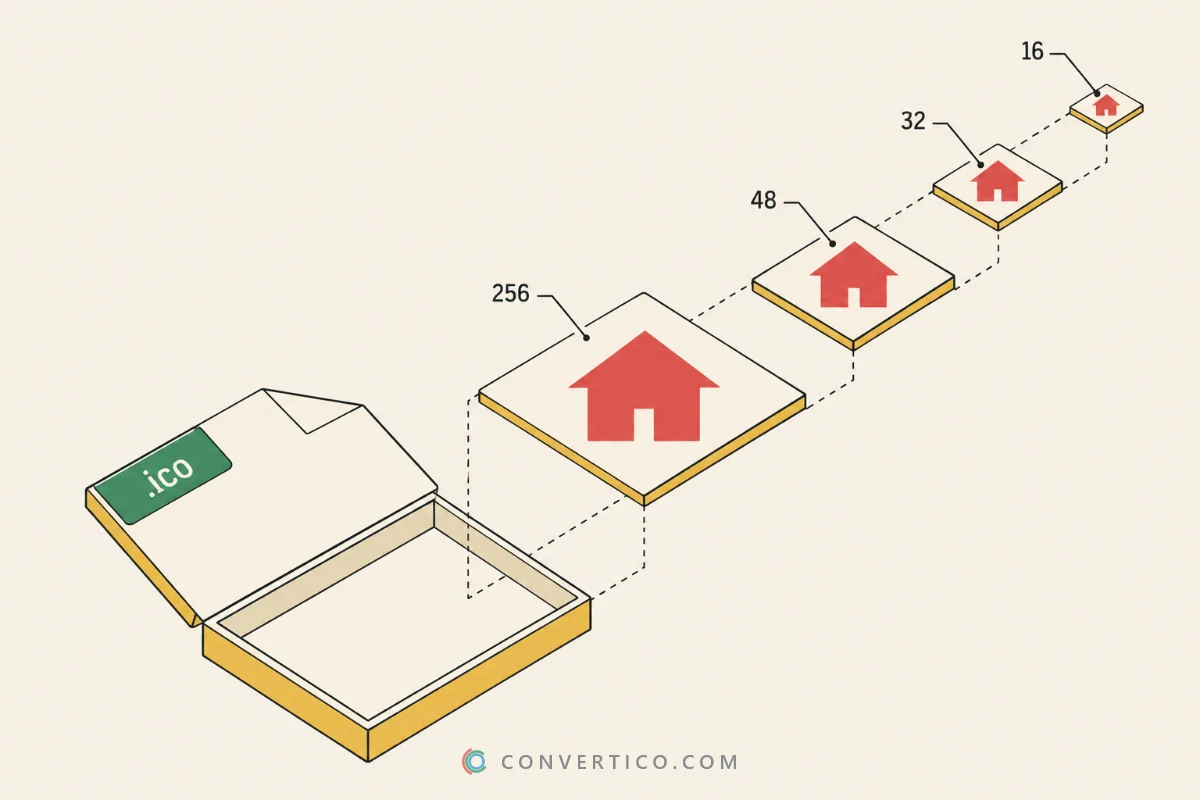
16×16, 32×32, 48×48, 96×96, 144×144, 180×180, 192×192, 512×512, a maskable 512×512 PWA icon, favicon.ico (multi-size), apple-touch-icon.png and manifest.json

About App Icons

App icons are the visual identity of your mobile or desktop application. Each platform has specific requirements for icon sizes, formats, and design guidelines. Our generator handles all the complexity automatically.

Android Adaptive Icons (introduced in Android 8.0) use a two-layer system with a foreground and background that allows the system to display different icon shapes based on device manufacturer preferences (circle, squircle, rounded square, etc.).

Pro tip: Design your icon with the center content within a circular safe zone to ensure it looks good across all Android adaptive icon masks.

Android adaptive, round and themed icons

Modern Android needs more than one PNG.

The ZIP holds square ic_launcher.png and round ic_launcher_round.png icons for every screen density, the adaptive foreground and background layers, and a white ic_launcher_monochrome.png for Android 13 themed icons.

The mipmap-anydpi-v26 folder adds the two XML files that tie the layers together, so the res folders drop into Android Studio as they are. For a website's Android home-screen icon, use Favicon for Android.

A ready .icns for Mac apps

Mac apps and folders use the ICNS format.

Normally you build it on a Mac with iconutil. Here the AppIcon.icns is written in your browser from all ten Retina sizes, next to the AppIcon.iconset folder for Xcode. Have a Windows icon instead? Convert it with ICO to ICNS, or make the Windows version of your app icon with PNG to ICO.

Frequently Asked Questions

Upload a square image of at least 1024 x 1024 px - a PNG with transparency or an SVG is best. Every icon is scaled down from it, so the App Store icon stays sharp. Smaller images are enlarged and look soft; the Image Upscaler can help.

Since Android 8, launcher icons have a foreground and a background layer. Each phone maker masks them into its own shape - circle, squircle or rounded square. You get both layers, the ic_launcher.xml that ties them together, and square and round legacy icons for older phones.

Yes. With adaptive icons on, the ZIP includes ic_launcher_monochrome.png, a white silhouette of your logo, and the adaptive XML points to it. Android 13 and newer tint it to match the wallpaper when themed icons are switched on.

Yes. Tick macOS and the ZIP contains a ready AppIcon.icns, built in your browser, plus the AppIcon.iconset folder with every size. No Mac or iconutil command is needed. To convert an existing icon, use ICO to ICNS.

For Android and the web, a transparent logo works best - you pick the background colour here. iOS icons must be opaque, so transparent areas are filled with that colour automatically, as the App Store requires. Need to remove a background first? Try the PNG Background Remover.

Replace Assets.xcassets/AppIcon.appiconset in Xcode with the iOS folder, copy the Android mipmap folders into app/src/main/res, and upload the Web files to your site root with the HTML snippet from the ZIP. The README explains every folder.

Yes. Open iOS icons and turn on Dark and tinted icons. The ZIP gets a dark icon on a transparent background, a grayscale tinted icon and a Contents.json with the appearances Xcode 16 expects. The preview shows all three on a home screen.

No. Every icon, the .icns, the XML files and the ZIP are made in your browser, so your design never leaves your device. The tool is free, with no sign-up and no watermark.

Guides & Tutorials

All 40 guides
Guide Old vs New ICO Files: Bitmap Icons, PNG Icons and Every Icon Type Explained Sep 28, 2026 · 7 min read Read Comparison ICO vs SVG: Which Icon Format Should You Use? Jun 2, 2025 · 4 min read Read Guide What Is an ICO File? How to Open, Create and Convert Icon Files Jun 2, 2025 · 4 min read Read