
Turn WebP images into JPG or PNG in seconds - or convert your photos to WebP for faster pages.
WebP is the web format from Google, usually 25-35% smaller than JPG or PNG at the same quality.
Already on WebP? Compress WebP squeezes it further and the WebP Analyzer shows what is inside.
For apps and editors that still refuse .webp files.
Convert WebP images to JPG format
Convert WebP images to modern AVIF format
Convert WebP images to BMP (Bitmap) format
Convert animated WebP images to GIF format
Convert WebP to HEIC for iPhone, iPad and Mac - quality slider, transparency kept, optional EXIF and colour profile
Convert WebP to HEIF for iPhone, iPad and Mac - quality slider, transparency kept, optional EXIF and colour profile
Convert WebP images to ICO icon format
Convert WebP images to PDF documents
Convert WebP images to PNG format
Convert WebP images to scalable SVG vector
Smaller images for websites, with transparency kept where the source has it.
Convert JPG images to WebP for smaller files
Convert PDF pages to WebP images
Convert PNG images to WebP for smaller files
Convert AVIF images to WebP format
Convert BMP to WebP in your browser - lossy or lossless, transparency kept, up to 95% smaller
Convert GIF images to WebP format
Convert iPhone HEIC photos to WebP format
Convert HEIF and HEIC images from iPhone, iPad, and Mac to WebP format
Extract WEBP images from ICO icon files
Convert JPEG XL images to WebP format
Convert Photoshop PSD files to WebP format
Convert SVG vectors to WebP raster format
Convert TIFF images to WebP format
Compress, view, inspect and split WebP files without converting them.
Nothing here matches "".
Our tool shelf is big, though. Try the site search or .
WebP is a modern image format developed by Google. It supports lossy and lossless compression, transparency and animation, and every major browser can display it.
Older desktop apps and some upload forms still reject WebP, which is why WebP to JPG is so popular. For even smaller files, look at the AVIF converters, and fix the dimensions first with the Image Resizer.
25-35% smaller than JPG or PNG
An alpha channel, just like PNG
Animated images far lighter than GIF
Chrome, Firefox, Safari and Edge
Smaller images help Core Web Vitals. Convert with JPG to WebP and PNG to WebP.
Images downloaded from the web are often WebP. WebP to JPG makes them open in any app.
Turn GIFs into lighter animated WebP, pull frames out with the WebP Frame Extractor, or go back with WebP to GIF.
Convert HEIC pictures straight to WebP with HEIC to WebP - smaller and ready for any browser.
| WebP | JPG | PNG | AVIF | |
|---|---|---|---|---|
| Compression | Lossy or lossless | Lossy | Lossless | Lossy or lossless |
| Transparency | Yes | No | Yes | Yes |
| Animation | Yes | No | APNG only | Yes |
| Typical size vs JPG | 25-35% smaller | - | Larger for photos | 40-50% smaller |
| Opens in desktop apps | Most new ones | All | All | Fewer |
Need a WebP to test with? Grab one from the WebP sample files.
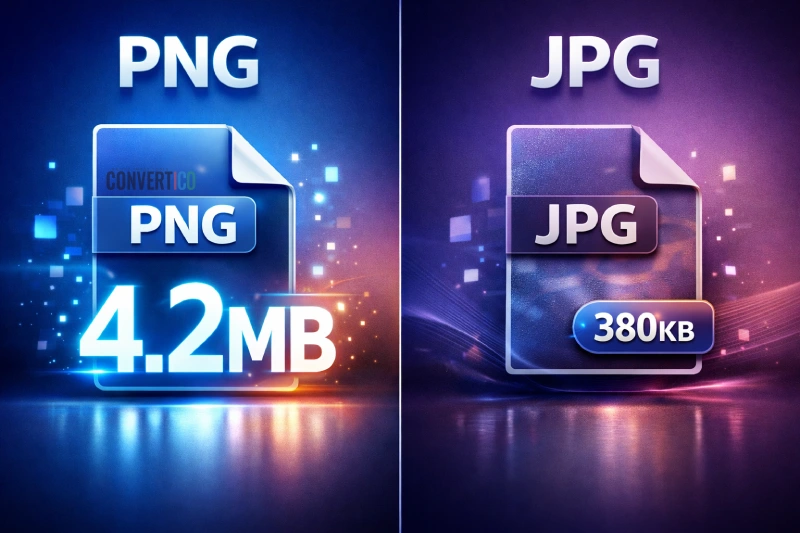
WebP is a modern image format from Google for the web. It supports lossy and lossless compression, transparency and animation, and files are typically 25-35% smaller than JPG or PNG at the same quality.
Use WebP to JPG for photos and the widest compatibility. If the image has a transparent background, use WebP to PNG so the transparency is kept.
Many websites serve WebP because it loads faster, so that is what your browser saves. Convert it with WebP to JPG if an app or upload form will not accept it.
For websites, WebP is usually better - smaller files at the same quality. Convert with JPG to WebP.
For printing, email and older software, JPG is still the safest choice.
Yes - Chrome, Firefox, Safari, Edge and Opera all display WebP, covering more than 95% of users. You can still offer a JPG or PNG fallback inside a picture element.
Yes. Animated WebP is often 50-80% smaller than the same GIF. Convert with GIF to WebP or GIF to Animated WebP, and back with WebP to GIF.
AVIF compresses even better, often 20-30% smaller than WebP, but encoding is slower and older devices may not show it. Test both with WebP to AVIF and AVIF to WebP.
Many WebP tools, such as the WebP Viewer, work entirely in your browser, so the image never leaves your device. Tools that need our server delete uploads automatically after a few hours.