Convert BMP bitmaps to PNG, JPG, ICO and more - or turn other images into BMP.
BMP is the classic uncompressed Windows image format, so files are big but every pixel is exact.
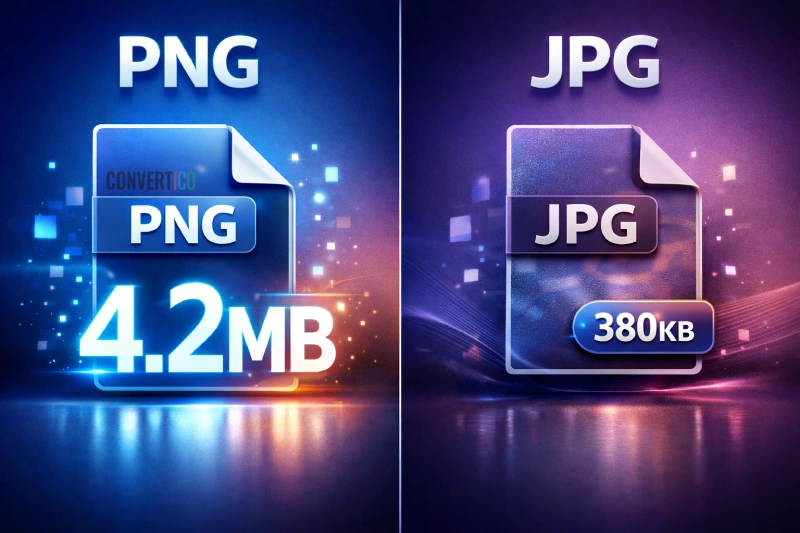
Converting to PNG or JPG usually makes them 5 to 50 times smaller, and every tool here is free.
Make bitmaps small enough for email, the web and modern apps.
Convert BMP to AVIF - the smallest web format, adjustable quality, keeps transparency, in the browser when it can
Convert BMP to GIF in your browser - smart 256-colour palette, dithering, transparency, interlace
Convert BMP to HEIC for iPhone and Mac - adjustable quality, 4:4:4 colour, keeps transparency, files deleted after download
Convert BMP to ICO in your browser - Windows-ready icons, 16 to 256 px, transparency, crop to square, favicon preset
Convert BMP to JPG in your browser - adjustable quality, progressive JPG, 90%+ smaller, keeps DPI
Convert BMP to PDF in your browser - all images in one PDF, A4, Letter or image size, JPEG or lossless
Convert BMP to PNG in your browser - lossless, every BMP type (RLE, 16/32-bit, OS/2), keeps transparency and DPI
Convert BMP to TIFF in your browser - lossless LZW or Deflate, keeps transparency and DPI, multi-page option
Convert BMP to WebP in your browser - lossy or lossless, transparency kept, up to 95% smaller
Create BMP files for legacy software, embedded displays and Windows tools.
Convert AVIF images to BMP bitmap format
Convert GIF to BMP in your browser - 8-bit palette, 24-bit or 32-bit with transparency, first frame of animated GIFs
Convert HEIC images from iPhone and iPad to BMP
Convert HEIF and HEIC images to BMP format
Extract BMP bitmaps from ICO icon files
Convert JPG to BMP in your browser - 24-bit, 32-bit or 8-bit BMP, photos turned upright, keeps DPI
Convert PNG images to BMP bitmap format
Convert SVG to BMP in your browser - any size drawn sharp from the vector, 24-bit, 32-bit (transparent) or 8-bit
Convert TIFF images to BMP bitmap format
Convert WebP images to BMP (Bitmap) format
Compress and inspect BMP files without converting them.
Nothing here matches "".
Our tool shelf is big, though. Try the site search or .
BMP (Bitmap Image File) is a raster format created by Microsoft. It stores pixels with little or no compression, so files are large but there are no compression artefacts.
BMP is still used by Windows tools, older software and small embedded screens. For the web, convert to WebP or PNG and run it through the PNG compressor.
No compression artefacts - safe for editing
Opens on every Windows PC
From 1-bit to 32-bit colour
Easy for software and microcontrollers to read
BMP files can be 10-50 times bigger than compressed formats. BMP to JPG or BMP to PNG shrinks them dramatically.
Browsers show BMP, but it is far too heavy for pages. BMP to WebP or BMP to AVIF loads much faster.
Smaller files are easier to email and upload. The JPG compressor trims them even more.
Turn a bitmap into a Windows icon with BMP to ICO, or build a full set with the favicon generator.
| BMP | PNG | JPG | |
|---|---|---|---|
| Compression | None (or simple RLE) | Lossless | Lossy |
| Size of a 1920x1080 photo | About 6 MB | About 2-4 MB | About 0.3-0.6 MB |
| Transparency | 32-bit only, patchy support | Yes | No |
| Opens in browsers | Yes | Yes | Yes |
| Best for | Legacy apps, raw pixel data | Graphics, screenshots | Photos |
Need a bitmap to test with? Grab one from the BMP sample files.
BMP (Bitmap) is an image format developed by Microsoft. It stores pixel data directly, usually without compression, so the quality is perfect but the files are large. Windows uses it for wallpapers, icons and older programs.
For almost everything, PNG is the better pick - it is lossless too, but much smaller. Switch with BMP to PNG.
Keep BMP only when a legacy program or device asks for it.
BMP stores every pixel individually. A 1920x1080 image at 24-bit colour is about 6 MB as BMP, while the same photo as a JPG is often 300-600 KB.
Need to keep BMP? Compress BMP can still trim it.
32-bit BMP files can carry an alpha channel, but many programs ignore it. For reliable transparency, convert to PNG with BMP to PNG.
Convert it to a compressed format. Use BMP to JPG for photos (often 90% smaller) or BMP to PNG for graphics.
The Image Resizer can also reduce the dimensions.
Browsers can show it, but it is not a good idea - BMP files are huge and slow pages down. Use BMP to WebP for modern sites or PNG for the widest support.
The BMP Analyzer shows the header, colour depth, compression and size details. It helps when a program refuses to open a bitmap.
Many BMP tools work right in your browser, so your images never leave your device. Tools that need our server delete uploads automatically after a few hours.