The Short Answer
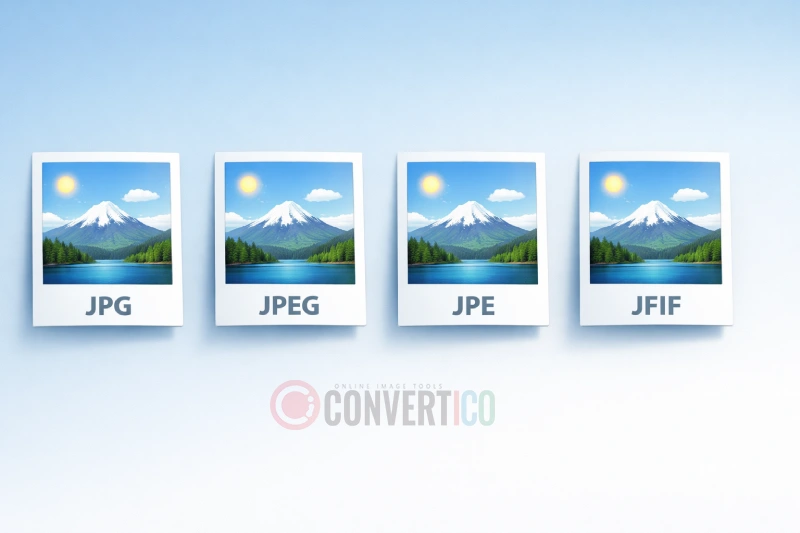
JPG, JPEG, JPE, and JFIF are all extensions for the exact same image format - they produce identical files with the same compression and quality. The different names exist primarily due to historical operating system limitations and technical specifications. If you need to convert between these formats, you're essentially just renaming the file extension.
Quick Fact: You can rename any .jfif file to .jpg right now, and it will work perfectly in any application. They are the same format with different labels.
Understanding JPEG - The Original Standard
JPEG stands for Joint Photographic Experts Group, the committee that created this compression standard in 1992. The format was revolutionary because it could dramatically reduce image file sizes while maintaining acceptable visual quality - perfect for the early internet era when bandwidth was precious.
The original specification used the .jpeg extension, which clearly identifies the format. This four-letter extension works perfectly on modern operating systems like Windows 10/11, macOS, and Linux. When you use tools like the image compressor on ConvertICO, you're applying JPEG compression technology to reduce file sizes.
Key JPEG Characteristics
- Lossy compression - Some image data is permanently removed to reduce file size.
- Adjustable quality - You can choose between smaller files or better quality.
- 24-bit color - Supports over 16 million colors, ideal for photographs.
- No transparency - Unlike PNG, JPEG cannot have transparent backgrounds.
- Universal support - Every browser, device, and image editor supports JPEG.
Why JPG Exists - The Three-Letter Limit
The .jpg extension exists because of a limitation in early versions of Microsoft DOS and Windows. These operating systems used the 8.3 filename convention, which restricted file extensions to just three characters. Since "JPEG" has four letters, it had to be shortened to "JPG" for compatibility.
The 8.3 Filename Convention
Under this system, filenames could only have:
- Up to 8 characters for the filename
- A period separator
- Exactly 3 characters for the extension
So vacation_photo.jpeg was impossible - it had to become vacation_.jpg or similar. This limitation was removed in Windows 95 with the introduction of long filename support, but by then, .jpg had become so widespread that it stuck around.
Historical Note: Mac OS never had this three-letter limitation, which is why you might notice more .jpeg files coming from Apple devices and more .jpg files from Windows machines.
Today, both extensions are completely interchangeable. Whether you're using the image resizer or any other tool, the output quality is identical regardless of whether you save as .jpg or .jpeg.
JPE and JFIF - The Lesser-Known Extensions
What is JPE?
The .jpe extension is another three-letter variant of JPEG, created for the same DOS compatibility reasons as .jpg. It's far less common and you'll rarely encounter it in the wild. Some older software and systems used .jpe as an alternative, but it never gained the popularity of .jpg.
If you have .jpe files, you can safely rename them to .jpg without any conversion. They'll work exactly the same way.
What is JFIF?
JFIF stands for JPEG File Interchange Format. While JPEG defines the compression algorithm, JFIF specifies how that compressed data should be stored in a file. Think of it this way:
- JPEG = The compression method (how to shrink the image)
- JFIF = The container format (how to package and save that compressed data)
Most "JPEG" files you encounter are technically JFIF files. The .jfif extension became more visible when Windows 10 started saving some images with this extension by default, confusing many users who had never seen it before.
Why Does Windows Save as JFIF?
When you copy an image from certain websites or applications and paste it into Windows, the system sometimes saves it as .jfif instead of .jpg. This is technically correct (JFIF is the proper format name), but it causes compatibility issues because some older software doesn't recognize the extension.
The solution is simple: rename the file from image.jfif to image.jpg. You can also use our JPG converter if you want to batch process multiple files.
Technical Comparison Table
| Extension | Full Name | Origin | Common Usage | Compatibility |
|---|---|---|---|---|
.jpeg |
Joint Photographic Experts Group | Original specification (1992) | Mac/Linux systems, web standards | Universal |
.jpg |
Shortened JPEG | DOS 8.3 filename limit | Windows, most common overall | Universal |
.jpe |
Shortened JPEG (alternative) | DOS compatibility | Rarely used today | Universal |
.jfif |
JPEG File Interchange Format | Technical specification name | Windows 10+ clipboard saves | Most software |
All four extensions can be opened by any modern image converter and will produce identical results when processed.
Which Extension Should You Use?
For maximum compatibility and recognition, we recommend using .jpg in most situations. Here's a breakdown by use case:
For Web and Email
Use .jpg - It's the most universally recognized extension and will work in every email client, browser, and content management system. When you compress images for web, always save with the .jpg extension.
For Professional Photography
Either .jpg or .jpeg works fine. Some photographers prefer .jpeg because it's the "proper" full name, but there's no practical difference.
For Software Development
Be consistent. Pick one extension (.jpg is more common) and stick with it throughout your project. This prevents confusion and makes file management easier.
For Social Media
All platforms accept both .jpg and .jpeg. They'll also process .jfif files, though you might want to rename them first to avoid any potential issues. Before uploading, consider using an image resizer to optimize dimensions for each platform.
Need to Convert or Optimize Your Images?
Whether you're working with JPG, JPEG, or JFIF files, ConvertICO has you covered.
Convert to JPG Compress Images Resize ImagesHow to Convert Between Extensions
Since all these extensions represent the same format, "converting" between them is simply a matter of renaming the file. Here are your options:
Method 1: Simple Rename
Right-click the file, select "Rename," and change the extension. For example, change photo.jfif to photo.jpg. Windows might warn you about changing extensions - just click "Yes" to confirm.
Method 2: Batch Rename with Command Line
If you have many files to rename, open Command Prompt in the folder containing your images and run:
ren *.jfif *.jpg
This instantly renames all .jfif files to .jpg.
Method 3: Use an Online Converter
For a more user-friendly approach, upload your files to the ConvertICO JPEG to JPG converter. This is especially useful if you also want to adjust quality settings during the process.
Converting to Other Formats
If you need to convert JPEG to a different format entirely (not just rename the extension), you have several options:
- Convert to PNG - For images needing transparency
- Convert to WebP - For smaller web images with equal quality
- Convert to AVIF - For next-generation compression
- Create a Favicon - Generate website icons from your JPEG
Browser and Software Compatibility
Here's what you need to know about compatibility across different platforms:
Web Browsers
Chrome, Firefox, Safari, Edge, and all modern browsers support all four extensions (.jpg, .jpeg, .jpe, .jfif) without any issues. The browser reads the file's actual content, not just the extension.
Image Editors
Adobe Photoshop, GIMP, Affinity Photo, and virtually every image editor recognizes all JPEG extensions. You can open a .jfif file, edit it, and save it as .jpg without any conversion or quality loss (beyond normal JPEG re-compression).
Mobile Devices
Both iOS and Android handle all JPEG extensions correctly. Photos transferred from phones typically use .jpg or .jpeg depending on the device manufacturer.
Potential Issues
The only compatibility problems you might encounter:
- Old software - Some legacy applications from the 1990s or early 2000s might not recognize .jfif
- File upload forms - Some websites only whitelist .jpg and .jpeg extensions, rejecting .jfif even though it's valid
- Email attachments - Certain email security filters might flag unusual extensions
The solution to all these issues is the same: rename your .jfif or .jpe files to .jpg.
Common Questions Answered
Is JPG lower quality than JPEG?
No. The extensions make absolutely no difference to image quality. A 500KB .jpg file and a 500KB .jpeg file with the same content are byte-for-byte identical. Quality is determined by the compression settings used when saving, not the extension.
Why do some programs only accept JPG?
This is usually a lazy implementation by the developer. They only added .jpg to their file filter without including .jpeg and other variants. The workaround is to rename your file or use a converter that outputs .jpg specifically.
Can I convert JFIF to JPG without losing quality?
Yes, because you're not actually converting - just renaming. Simply change the extension from .jfif to .jpg, or use our JPEG to JPG converter for a quick automated solution. There's no re-compression involved, so quality remains exactly the same.
Why did Windows start using JFIF?
Microsoft's implementation of clipboard image saving became stricter about using "correct" format names. Since JFIF is technically the proper container format name, Windows uses it. Unfortunately, this confused users who were unfamiliar with the extension.
Should I convert my photos to WebP instead?
WebP offers better compression than JPEG, meaning smaller files at the same quality level. If you're optimizing for web performance, converting to WebP can reduce file sizes by 25-35% compared to JPEG. However, JPEG remains more universally compatible, especially for email attachments and older systems.
What about HEIC/HEIF from iPhones?
HEIC (High Efficiency Image Container) is a completely different format from JPEG - it's Apple's preferred format for iPhone photos. If you need to share HEIC images with Windows users or upload them to websites, you can convert HEIC to JPG for universal compatibility.
Conclusion
The confusion around JPG, JPEG, JPE, and JFIF stems from historical technology limitations and technical naming conventions - not from any actual differences in the formats themselves. Here's what you need to remember:
- All four extensions represent the same image format
- .jpg is the most widely used and recommended
- Renaming between extensions doesn't affect quality
- .jfif is technically correct but less recognized
When working with images, focus on what matters: proper compression settings, appropriate dimensions, and choosing the right format for your needs. Whether your file says .jpg or .jpeg at the end is purely cosmetic.
If you need to work with JPEG images - whether that's converting, compressing, resizing, or creating icons - ConvertICO's JPG Converters handle all JPEG variants seamlessly.
Ready to Work With Your Images?
Use our free online tools to convert, compress, and optimize your JPEG files - regardless of their extension.
Try ConvertICO Free