Why PNG to Emoji Conversion is Impossible
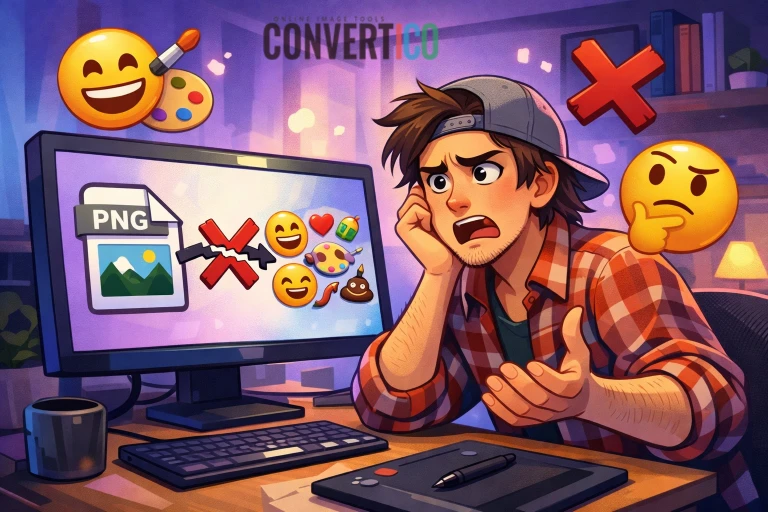
Let's address this directly: you cannot convert a PNG image into an actual emoji. This isn't a limitation of current technology - it's fundamentally impossible due to how emojis work.
Many people search for "PNG to emoji converter" thinking they can turn their custom images into emojis that work across all platforms. Unfortunately, this misunderstands what emojis actually are.
The Reality: Emojis are standardized Unicode characters, not image files. You can't create new emojis by converting images - they must be officially approved and added to the Unicode standard by an international consortium.
Common Misconceptions:
- Thinking emojis are just small image files you can create
- Believing any image can become a universal emoji
- Confusing emojis with custom stickers or emoticons
- Expecting instant emoji creation from personal photos
What Are Emojis Really?
Emojis are Unicode characters - like letters and numbers - that have been assigned specific meanings and visual representations.
- Unicode Standard: Emojis are part of the international Unicode standard, maintained by the Unicode Consortium
- Platform Rendering: Each platform (Apple, Google, Microsoft) renders the same emoji code differently but with similar meaning
- Limited Set: There are only about 3,600 emojis in existence - you can browse them all in our Unicode Emoji Library - and new ones require years of approval process
- Character Codes: Each emoji has a specific Unicode code point (like U+1F600 for 😀)
How Emojis Work: When you type 😀, you're not inserting an image. You're inserting Unicode character U+1F600, which your device then renders as a smiley face based on its own font and design system. This is why the same emoji looks different on iPhone vs Android vs Windows.
Working with Existing Emojis: While you can't create new emojis from images, you can work with existing emojis in useful ways. Our Emoji to ICO converter lets you turn standard emoji characters into proper ICO icon files - perfect for using emojis as application icons, favicons, or custom cursors.
Practical Alternatives That Actually Work
While you can't create real emojis from PNG files, here are practical alternatives depending on what you actually need:
1. Platform-Specific Custom Emojis
Many platforms let you upload custom images that function like emojis within that platform:
- Discord Custom Emojis: Upload PNG files as server-specific emojis (up to 50 per server)
- Slack Custom Emojis: Add custom reactions for your workspace
- Telegram Stickers: Create sticker packs from your images
- WhatsApp Stickers: Use third-party apps to create sticker packs
- Twitch Emotes: Affiliates and partners can upload custom emotes
2. ASCII Art and Text Representations
Convert your images to text-based art using characters. Our Image to ASCII converter can transform any photo into shareable text art in seconds:
Basic expressions using punctuation
Complex expressions using Unicode
Detailed images using text characters
3. Unicode Symbol Matching
Find existing Unicode symbols that represent your image concept:
- Geometric Shapes: ■ ● ▲ ◆ ★ for basic forms
- Arrows & Symbols: → ↑ ⚡ ⭐ ♥ ☀ for common concepts
- Mathematical Symbols: ∞ ± √ ∑ ∆ for technical content
- Currency & Misc: $ € ¥ © ® ™ for business use
Want to find the perfect existing emoji instead? Explore our complete Unicode Emoji Library to search thousands of standardized emojis by category or keyword.
Best Solutions by Use Case
For Messaging Apps:
- Create sticker packs for WhatsApp, Telegram, or Signal
- Use platform-specific custom emoji features (Discord, Slack)
- Design reaction images that can be shared as attachments
For Websites and Apps:
- Convert your PNG to ICO format for favicons
- Turn existing emojis into icons with our Emoji to ICO converter
- Use SVG icons for scalable, emoji-like graphics
- Create custom icon fonts with your designs
For Social Media:
- Design branded stickers and GIFs for stories
- Create reaction images in standard formats
- Use image resizer tools to optimize for each platform
Pro Tip: For web use, consider converting your PNG to a small favicon or icon format. Our Image to ICO Converter can create proper icon files, or use the Emoji to ICO converter to turn your favorite emojis into usable icons for applications and websites.
The Bottom Line
While you can't convert PNG images directly to universal emojis, you have several practical alternatives depending on your actual goal.
Choose the Right Approach:
- Need custom reactions for a team? → Use Discord/Slack custom emojis
- Want stickers for messaging? → Create sticker packs for your platform
- Need icons for a website? → Convert to ICO or use SVG format
- Looking to match an existing emoji? → Search our Unicode Emoji Library for similar options
- Want to match an existing emoji? → Search the Unicode emoji list for similar options
- Want to use emojis as app icons? → Convert them with our Emoji to ICO tool
Remember: Real emojis are part of a global standard that takes years to update. For immediate custom needs, platform-specific solutions like stickers and custom icons are your best bet.
Ready to convert your images?
Try these practical alternatives:
PNG to ICO Emoji to ICO Image Resizer PNG to WebP