The Short Answer
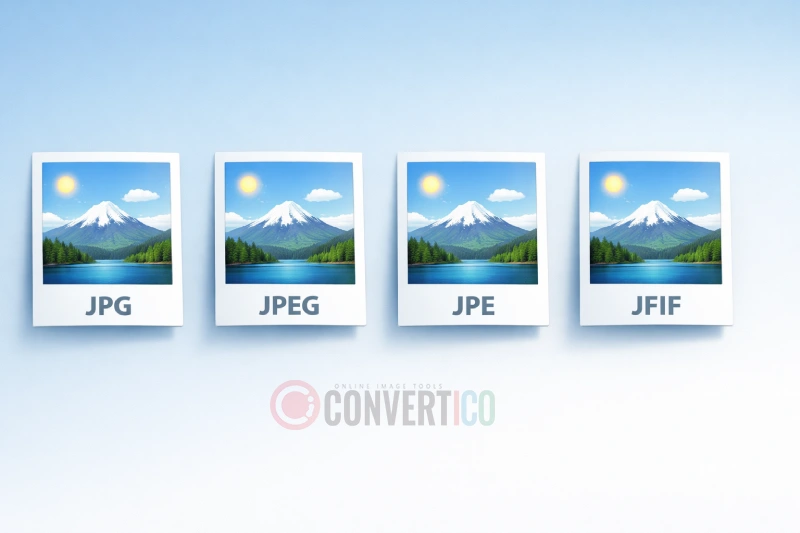
JPG, JPEG, JPE and JFIF are four names for the same image format.
The picture inside is identical - same compression, same colors, same quality.
The different extensions come from old operating system limits and technical naming, not from any real difference in the files.
So "converting" between them is really just renaming. Stuck with a .jfif file? The JFIF to JPG converter renames a whole batch with zero quality loss, and JPEG to JPG does the same for .jpeg and .jpe files.
Quick Fact: Rename any .jfif file to .jpg right now and it will open everywhere. Same file, different label.
Understanding JPEG - The Original Standard
JPEG stands for Joint Photographic Experts Group, the committee behind the standard published in 1992.
It was a breakthrough because it shrank photos dramatically while keeping them looking good. That mattered a lot when the internet ran on dial-up modems.
The full .jpeg extension works on every modern system - Windows 10 and 11, macOS, Linux, Android and iOS. When you use the JPG compressor, you're applying this same JPEG compression.
Key JPEG Characteristics
- Lossy compression - Some image detail is discarded to make the file smaller.
- Adjustable quality - You choose the balance between file size and sharpness.
- 24-bit color - Over 16 million colors, ideal for photographs.
- No transparency - For transparent backgrounds you need PNG or WebP instead.
- Universal support - Every browser, phone and image editor opens JPEG.
- Re-saving adds loss - Each edit-and-save cycle re-compresses the image. Renaming the file does not.
Why JPG Exists - The Three-Letter Limit
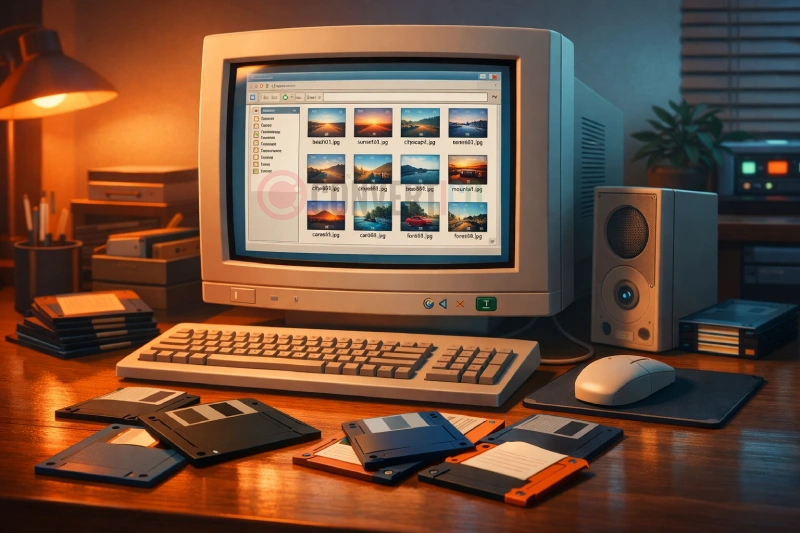
The .jpg extension exists because of early MS-DOS and Windows.
These systems used the 8.3 filename rule, which allowed only three characters after the dot. "JPEG" has four letters, so it was shortened to "JPG".
The 8.3 Filename Convention
Under this rule, a filename could only have:
- Up to 8 characters for the name
- A period separator
- Up to 3 characters for the extension
A name like vacation_photo.jpeg was simply impossible. Windows 95 brought long filenames in 1995, but by then .jpg was everywhere - and it stuck.
Historical Note: Mac and Unix systems never had the three-letter limit. That is why the full .jpeg spelling survived there and in web standards, while .jpg took over on Windows.
Today both extensions are fully interchangeable. Whether you use the image resizer or any other tool, the result is the same with .jpg or .jpeg.
JPE and JFIF - The Lesser-Known Extensions
What is JPE?
The .jpe extension is another three-letter version of JPEG, born from the same DOS limit as .jpg. It never caught on and you'll rarely see it today.
If you have .jpe files, rename them to .jpg - no conversion needed.
What is JFIF?
JFIF stands for JPEG File Interchange Format. JPEG defines how the image is compressed, while JFIF is one of the standard ways to package that data in a file.
- JPEG - The compression method (how the image is shrunk)
- JFIF - A simple wrapper used by most web images and image editors
- Exif - The wrapper cameras and phones use, which adds the date, camera model and location
Both wrappers end up in ordinary .jpg files and both open everywhere. The .jfif extension only became visible when Windows browsers started saving downloads with it - more on that below.
Other JPEG Cousins
You may also run into .jif, .jfi, .pjpeg and .pjp. They are all JPEG inside and all safe to rename to .jpg.
Not Sure What a File Really Is?
An extension is only a label, and labels can lie. A file called photo.jfif might really be a PNG or WebP that someone renamed.
The Image Format Detector reads the first bytes of the file - its magic bytes - and tells you the true format in a second, right in your browser. For the full story, see how to tell what format an image really is.
Why Your Images Save as JFIF
If Chrome or Edge on Windows suddenly saves every downloaded photo as .jfif, the cause is a single registry value.
Windows keeps a list that maps each image type to a default extension. When the entry for JPEG says .jfif - some apps and updates change it - browsers follow it.
Make Chrome Save JPG Again
- Press Win + R, type regedit and press Enter.
- Go to HKEY_CLASSES_ROOT\MIME\Database\Content Type\image/jpeg.
- Double-click Extension and change .jfif to .jpg.
- Restart your browser - new downloads are saved as .jpg.
Careful: Change only this one value. If your downloads end in .pjp, repeat the steps for the image/pjpeg key next to it.
Already sitting on a folder full of .jfif files? Drop them into the JFIF to JPG converter - up to 100 at once, saved byte for byte, right in your browser.
Technical Comparison Table
| Extension | Full Name | Origin | Common Usage | Compatibility |
|---|---|---|---|---|
.jpeg |
Joint Photographic Experts Group | Original specification (1992) | Mac, Linux, web standards | Universal |
.jpg |
Shortened JPEG | DOS 8.3 filename limit | Cameras, phones, Windows - the most common | Universal |
.jpe |
Shortened JPEG (alternative) | DOS 8.3 filename limit | Rare, older software | Opens in most apps, some upload forms reject it |
.jfif |
JPEG File Interchange Format | Technical file format name | Chrome and Edge downloads on Windows | Opens in most apps, some upload forms reject it |
All four open in any modern image converter, and the output is the same whichever one you start with.
Which Extension Should You Use?
For maximum compatibility, use .jpg. Here's a quick breakdown by use case.
For Web and Email
Use .jpg - every email client, browser and website builder recognizes it. When you compress a JPG for the web, keep the .jpg extension.
For Professional Photography
Either .jpg or .jpeg is fine. Some photographers prefer .jpeg as the "proper" name, but there's no practical difference.
For Software Development
Pick one extension and use it everywhere in the project - .jpg is the more common choice. Consistency saves you from broken image paths later.
For Social Media
Every platform accepts .jpg and .jpeg. Some upload forms still choke on .jfif, so rename those first and use the image resizer to match each platform's dimensions.
Need to Convert or Optimize Your Images?
Whether you're working with JPG, JPEG or JFIF files, ConvertICO has you covered.
JFIF to JPG Compress JPG Resize ImagesHow to Convert Between Extensions
Since all these extensions are the same format, "converting" is just renaming. Here are three ways to do it.
Method 1: Simple Rename
Right-click the file, choose "Rename" and change photo.jfif to photo.jpg. Windows may warn you about changing the extension - click "Yes".
Can't see extensions at all? In File Explorer, open View and turn on File name extensions.
Method 2: Batch Rename
On Windows, open Command Prompt in the folder with your images and run:
ren *.jfif *.jpg
Every .jfif file in that folder becomes .jpg instantly. On a Mac, select the files in Finder, right-click, choose Rename and replace ".jfif" with ".jpg".
Method 3: Use an Online Converter
The ConvertICO JFIF to JPG converter renames up to 100 files at once and checks that each one really is a JPEG. A .jfif that is secretly a PNG or WebP gets re-saved as a proper JPG automatically.
Need a smaller file at the same time? Turn off "Keep the original" and set a quality or a maximum file size. For .jpeg and .jpe files, use JPEG to JPG.
Converting to Other Formats
If you need a genuinely different format, not just a new extension, these are the usual picks:
- JPG to PNG - For editing without further quality loss
- JPG to WebP - Smaller web images at the same quality
- JPG to AVIF - Next-generation compression
- JPG to PDF - Combine photos into one document
- Favicon Generator - Turn a JPEG into website icons
Browser and Software Compatibility
Here's how the different extensions behave across platforms.
Web Browsers
Chrome, Firefox, Safari, Edge and every modern browser display all four extensions without trouble. Browsers read what's inside the file, not just its name.
Image Editors
Photoshop, GIMP, Affinity Photo and nearly every other editor open all JPEG extensions. Keep in mind that "Save As" re-compresses the image - if you only need a new extension, rename instead.
Mobile Devices
iOS and Android handle all JPEG extensions. Phone photos are usually .jpg - or HEIC on newer iPhones, which is a different format entirely.
Potential Issues
The few places where extensions still cause trouble:
- Old software - Some programs from the 1990s and early 2000s don't recognize .jfif
- Upload forms - Many websites only allow .jpg and .jpeg, rejecting a perfectly valid .jfif
- Email attachments - Some security filters flag unusual extensions
The fix is almost always the same: rename your .jfif or .jpe files to .jpg. If a file still gets rejected after renaming, run it through the format detector - it may not be a JPEG at all.
Frequently Asked Questions
Is JPG lower quality than JPEG?
No. Rename photo.jpeg to photo.jpg and not a single byte changes.
Quality depends on the compression level chosen when the image was saved, not on the extension.
Can I convert JFIF to JPG without losing quality?
Yes, because nothing is actually re-encoded. Rename the file, or use the JFIF to JPG converter with "Keep the original" on - it copies the image data byte for byte.
Why does Windows save images as JFIF?
A registry setting maps JPEG images to the .jfif extension, and Chrome and Edge follow it. You can switch it back to .jpg in four steps - see Why Your Images Save as JFIF.
Is it safe to rename .jfif to .jpg?
Yes. A .jfif file is a regular JPEG, so the renamed file opens everywhere.
The rare exception is a file that was never a JPEG in the first place. Check it with the Image Format Detector, or let the JFIF to JPG converter catch it and re-save it properly.
Why do some programs and websites only accept JPG?
Usually the developer only listed .jpg and .jpeg in the file filter. Rename the file and upload again.
Does renaming a JPEG remove its EXIF data?
No. The date, camera details and location stay inside the file. Only re-saving in some editors can strip them.
Should I convert my photos to WebP instead?
WebP files are typically 25-35% smaller than JPEG at the same visual quality, so converting to WebP is great for website speed.
JPEG is still more compatible for email, printing and older systems.
What about HEIC/HEIF from iPhones?
HEIC is a completely different format - Apple's default for iPhone photos. To share them with Windows users or upload them to websites, convert HEIC to JPG.
Still stuck? Ask us - we reply faster than a JPEG loads on dial-up.
Conclusion
The JPG, JPEG, JPE and JFIF confusion comes from history and naming, not from any real difference between the files. Here's what to remember:
- All four extensions are the same image format
- .jpg is the most widely used and the safest choice
- Renaming between them never affects quality
- .jfif is valid, but some forms and old apps reject it
Spend your attention on what actually matters: compression settings, dimensions and the right format for the job. JPEG has answered to four names for decades - it really doesn't mind which one you use.
Whatever you need - converting, compressing, resizing or making icons - ConvertICO's JPG converters handle every JPEG variant.
Ready to Work With Your Images?
Convert, compress and optimize your JPEG files for free - whatever their extension.
Try ConvertICO Free