Image to ICO Converter

Turn any picture into a multi-size ICO icon that opens everywhere in Windows - from PNG to ICO and JPG to ICO to SVG to ICO. Building a website icon? The Favicon Generator makes the full set.

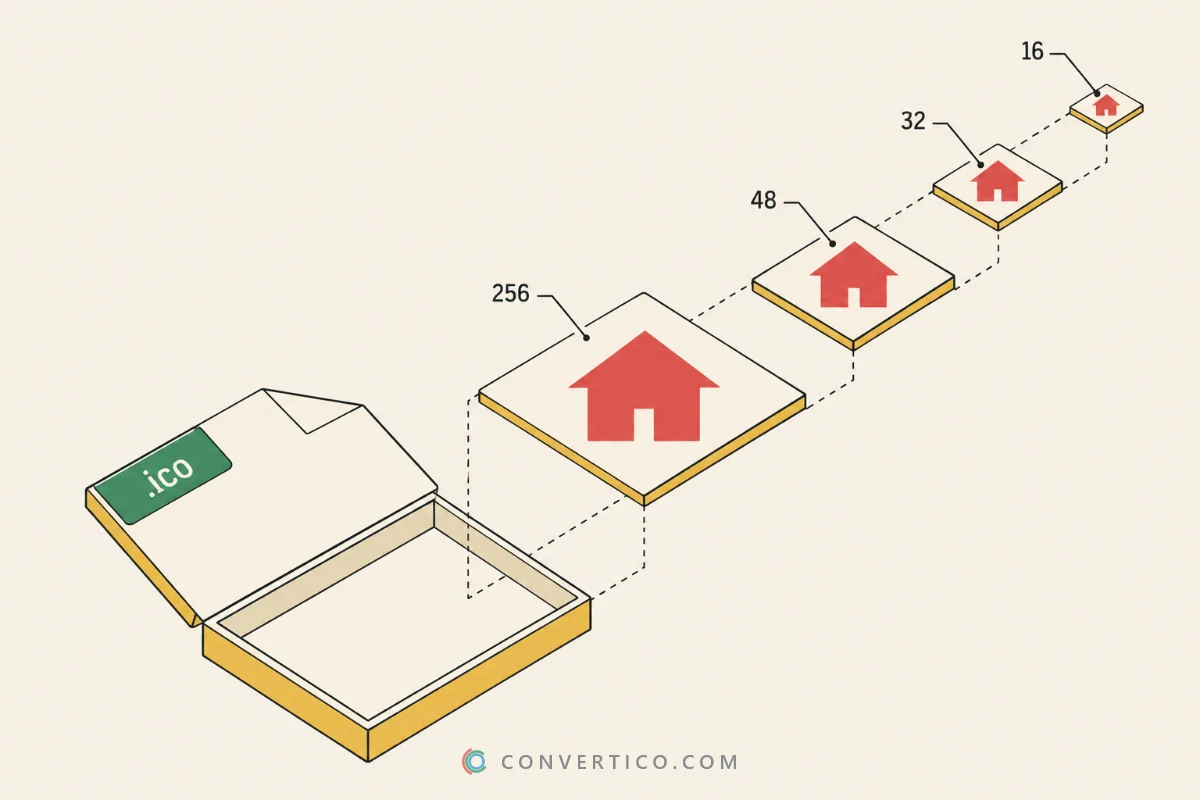
16 to 256 px in one file Windows-ready No upload Try:

Looking for icoconvert.com? ConvertICO does the same and more - free, no account, and your images never leave your device.

How to convert an image to ICO

  1. Add your image. Drop a PNG, JPG, SVG, WebP, GIF, BMP or TIFF into the box, paste it with Ctrl+V, or browse for it.
  2. Pick the sizes. Choose a preset - Favicon, Windows app or All sizes - or tick the sizes you need.
  3. Adjust the look. Fit, fill or stretch, add padding, a background colour or a rounded or round shape. Check every size in the preview.
  4. Download the ICO. Press Convert to ICO. Every size is saved in one .ico file.

Start from a square image of at least 256 x 256 px. For logos, an SVG gives the crispest result at every size.

Which sizes do you need?

UseSizesPreset
Website favicon16, 32, 48Favicon
Windows app, shortcut16, 20, 24, 32, 40, 48, 64, 256Windows app
Everything16 to 256All sizes
Large desktop icon only256256 only

Need the PNG and Apple icons for a website too? The Favicon Generator makes the whole set. For Mac apps, use PNG to ICNS.

32-bit, 24-bit or 8-bit?

  • 32-bit - full colour and smooth transparent edges. Use it for everything made after Windows XP.
  • 24-bit - full colour, hard-edged transparency. Slightly smaller.
  • 8-bit - 256 colours, for very old programs and retro icons.

Not sure what is inside an existing icon? The ICO Analyzer shows every layer.

Tips for sharp icons

  • Keep it simple. At 16 px only bold shapes survive - fine text and thin lines disappear.
  • Turn on Sharpen small sizes when 16 and 32 px look soft.
  • Add 5-10% padding so the icon does not touch the edges.
  • Hand-made small sizes? Drop all your versions and pick Combine into one ICO.
  • Small or blurry source? Enlarge it first with the Image Upscaler.

Frequently Asked Questions

Drop your image into the box, pick the icon sizes (or a preset like Favicon or Windows app) and press Convert to ICO.

Every size goes into one .ico file - you do not need one file per size.

For a favicon: 16, 32 and 48. For a Windows app or shortcut: 16, 20, 24, 32, 40, 48, 64 and 256 - 20 and 40 are used at 125% and 250% display scaling.

256 is the largest size an ICO can hold. Need 512 px or bigger for macOS? Use PNG to ICNS.

Yes. Sizes under 256 px are saved as 32-bit bitmaps with a mask and the 256 px size as a 32-bit PNG - the layout Windows Explorer, Photos, icon editors and browsers all accept.

Want to double-check a file? Open it in the ICO Analyzer.

Yes. 32-bit icons keep smooth transparent edges. 24-bit and 8-bit icons keep transparency too, but with hard edges, the way classic Windows icons work.

Pick Fit to keep the whole image with empty space around it, Fill to crop it to a square, or Stretch. Padding adds breathing room so the icon does not touch the edges.

For full control over position and zoom, use the Icon Maker.

Yes. Drop up to 30 images and you get one ICO per image - more than two come as a ZIP.

Or choose Combine into one ICO to put hand-made 16 px, 32 px and 256 px versions into one file, each used for the sizes closest to it.

Yes. ConvertICO does the same job and more - multi-size ICO, padding, shapes, 8-bit legacy icons and batch conversion - free, without an account, and your images never leave your device.

No. The image is converted entirely in your browser, so it never leaves your device.

Guides & Tutorials

All 40 guides
Guide Old vs New ICO Files: Bitmap Icons, PNG Icons and Every Icon Type Explained Sep 28, 2026 · 7 min read Read Comparison ICO vs SVG: Which Icon Format Should You Use? Jun 2, 2025 · 4 min read Read Guide What Is an ICO File? How to Open, Create and Convert Icon Files Jun 2, 2025 · 4 min read Read