Why Downloading GIFs Isn't Always "Right-Click, Save"
You found the perfect reaction GIF. You right-click, hit "Save Image As..." and then - surprise - it saves as a static image. Or a .webp file. Or some mysterious format your computer has never heard of. Welcome to the mildly frustrating world of GIF downloading in 2026.
The reason this happens is simple: most websites have gotten clever about how they serve images. Platforms like Twitter, Reddit, and even Giphy often convert GIFs to video formats (MP4 or WebM) behind the scenes to save bandwidth. What looks like a GIF to you is often just a looping video wearing a convincing disguise.
But don't worry - this guide covers every method you'll need to download GIFs from any website, on any device. Whether you want to grab a single reaction GIF or download an entire collection at once, we've got you covered.
Quick Answer: The easiest way to download any GIF is to paste its URL into our free GIF Downloader. It handles URL extraction, format conversion, and batch downloads automatically - no right-click gymnastics required.
3 Basic Methods to Download Any GIF
Before we dive into platform-specific tricks, here are the three universal methods that work across most websites. Think of them as your GIF-saving Swiss Army knife.
Method 1: The Classic Right-Click Save
The old reliable. On desktop, right-click the GIF and select "Save Image As..." (Chrome/Edge) or "Save Image" (Firefox/Safari). This works perfectly on websites that serve actual .gif files - which, honestly, is fewer sites than you'd think these days.
When it works: Direct GIF links, image-hosting sites like Imgur, personal blogs, forums.
When it fails: Twitter, Facebook, most modern social platforms that auto-convert GIFs to video.
Method 2: Open in New Tab First
If right-click saving gives you a static image or wrong format, try this: right-click the GIF, choose "Open Image in New Tab" (or "Copy Image Address" and paste it in a new tab). Once the GIF is playing in its own tab, use Ctrl+S (Cmd+S on Mac) to save it. This often bypasses the platform's image wrapper and gets you the raw file.
Method 3: Use a GIF Downloader Tool
When methods 1 and 2 fail - and they will on platforms like Twitter and Reddit - a dedicated GIF downloader is your best friend. Just paste the URL, and the tool handles all the format detection, conversion, and downloading automatically. No browser extensions, no developer tools, no headaches.
Skip the Hassle
Our GIF Downloader supports single URLs, batch downloads, and even full webpage scanning.
Download GIFs NowPlatform-by-Platform GIF Download Guide
Each platform has its own quirks when it comes to saving GIFs. Here's how to handle the big ones - no PhD in computer science required.
Giphy - The GIF Mothership
Giphy is the world's largest GIF library, but downloading from it has gotten trickier over the years. The site now often serves .webp files instead of actual GIFs when you right-click. Here's how to get the real thing:
- Find your GIF on Giphy and click to open its detail page.
- Look for the "Media" or share section - Giphy provides direct links in multiple formats.
- Right-click on the GIF and select "Copy Image Address."
- Paste the URL into our Giphy Downloader to get the original .gif file.
Pro tip: In the Giphy URL, replacing media.giphy.com with i.giphy.com sometimes gives you a direct link to the original GIF file. But honestly, the Giphy Downloader handles this automatically so you don't have to play URL detective.
Tenor - The Keyboard GIF King
Tenor (owned by Google) powers the GIF keyboard on Android, Google Messages, and many other apps. Downloads from Tenor can be tricky because the site prefers to serve optimized formats.
- Open the GIF on Tenor's website.
- Right-click the animation and copy the image address.
- Paste the URL into our Tenor Downloader for the cleanest download.
Alternatively, on the Tenor GIF page, look for the share options - there's often a direct download link hidden in the sharing panel. Our dedicated Tenor tool skips all these steps and extracts the highest-quality version automatically.
Twitter / X - The "GIFs That Aren't GIFs"
Here's a fun fact: Twitter doesn't actually use GIFs. When you upload a GIF to Twitter, it converts it to an MP4 video. That's why right-click saving never works here - there's no GIF file to save.
- Find the tweet containing the GIF/animation you want.
- Copy the tweet URL (click the share button and select "Copy Link").
- Paste it into our Twitter/X GIF Downloader.
- Choose to download as MP4 (original quality) or convert back to GIF format.
Our Twitter/X Downloader extracts the video and can convert it back to a proper animated GIF if that's what you need. You can also keep it as MP4 - the file will be much smaller and look sharper.
Reddit - Land of Reaction GIFs
Reddit uses multiple hosting methods: i.redd.it for direct images, v.redd.it for videos, and external links to Giphy, Imgur, and others. Your approach depends on how the GIF was posted.
- Direct image links (i.redd.it): Right-click and save usually works.
- Reddit video (v.redd.it): These are MP4 videos, not GIFs. Use the GIF Downloader with the post URL.
- External links: Click through to the source (Giphy, Imgur, etc.) and use the appropriate method.
For the easiest experience, just paste the Reddit post URL into our GIF Downloader - it automatically detects the source and grabs the correct file.
Pinterest - The Visual Goldmine
Pinterest hosts a surprising number of animated GIFs, but their image delivery system makes downloading tricky. Pins often serve resized or reformatted versions of the original.
- Open the pin to view it at full size.
- Copy the pin URL from your browser's address bar.
- Paste into our Pinterest Downloader to grab the highest-resolution version.
The Pinterest Downloader is especially useful because it fetches the original upload quality rather than Pinterest's compressed preview version.
Imgur, Tumblr, and Other Hosting Sites
Most dedicated image hosting platforms still serve actual GIF files, making them the easiest to download from:
- Imgur: Click the GIF to open it, then right-click and save. Make sure the URL ends in .gif, not .gifv (which is a video). You can also just paste the URL into the GIF Downloader.
- Tumblr: Click through to the original post, right-click the GIF, and save. Tumblr sometimes serves .webp - if so, use our downloader to get the .gif version.
- Discord: Right-click and "Save Image" works directly for GIFs shared in Discord channels.
How to Download GIFs on Mobile
Downloading GIFs on phones has its own set of challenges. Here's the no-nonsense breakdown for both platforms.
iPhone / iPad (iOS)
iOS handles GIFs a bit differently than you might expect. When you save a GIF to your Camera Roll, iOS stores it as a "Live Photo" or sometimes a static image (very helpful, Apple). Here's what actually works:
- Safari: Long-press the GIF, then tap "Save to Photos" or "Add to Photos." If it saves as a still image, open the GIF in a new tab first, then try again.
- From apps: Most apps (Twitter, Reddit, etc.) convert GIFs to video. Use the share button to "Copy Link," then paste it into our GIF Downloader in your browser.
- Files app: For more control, use "Download Linked File" to save the GIF to the Files app, which preserves the original format.
Android
Android is generally more GIF-friendly than iOS:
- Chrome: Long-press the GIF and tap "Download Image." This usually saves the actual animated file.
- From apps: Same as iOS - use the share button, copy the link, and paste into the GIF Downloader for guaranteed results.
- Gallery app: Downloaded GIFs play automatically in most Android gallery apps - no extra steps needed.
Mobile tip: If a saved GIF isn't animating in your gallery, try opening it in your browser instead. Some gallery apps don't support GIF playback. Alternatively, convert the GIF to MP4 for universal compatibility on any device.
Batch Download - Saving Multiple GIFs at Once
Need to download a whole collection? Maybe you're building a reaction GIF library (no judgment) or collecting references for a project. Downloading one at a time is painfully slow.
Our GIF Downloader has two batch features built for exactly this:
Multiple URLs Mode
Paste up to 20 GIF URLs at once - one per line. The tool fetches them all and packages everything into a single ZIP file for download. Perfect when you've already found the GIFs you want.
Page Scanner Mode
Enter any webpage URL and the tool automatically scans for all GIF images on that page. You get a preview grid showing every detected GIF with file sizes, so you can cherry-pick the ones you want before downloading.
For even larger collections - think entire galleries or image boards - our Bulk Image Downloader can scan and download images of all formats (not just GIFs) from any webpage. It's the power tool for serious collectors.
Troubleshooting Common GIF Download Problems
If downloading GIFs were always straightforward, this section wouldn't exist. Here are the most common headaches and their fixes.
| Problem | Why It Happens | Fix |
|---|---|---|
| GIF saves as static image | You saved a preview thumbnail, not the full GIF | Open the GIF in a new tab first, then save. Or paste the URL into the GIF Downloader |
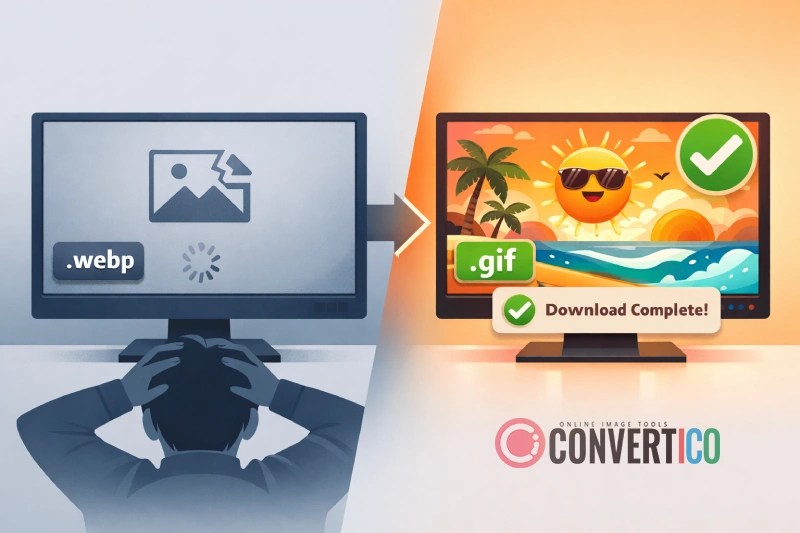
| File saves as .webp instead of .gif | Modern browsers request WebP format for smaller files | Use the GIF Downloader which fetches the original .gif, or convert WebP to GIF |
| Downloaded file won't play/animate | Your viewer doesn't support GIF playback | Open in a web browser, or convert to MP4 for universal playback |
| "Save Image" option missing | The "GIF" is actually an embedded video (common on Twitter) | Copy the page/post URL and use the Twitter GIF Downloader |
| GIF file is huge (10MB+) | GIF is an inefficient format for longer animations | Compress the GIF or convert to MP4 for 90% smaller files |
| GIF quality is terrible after saving | You downloaded a low-res preview version | Look for "original" or "source" quality options, or use a GIF downloader that fetches full resolution |
| GIF won't send in iMessage/WhatsApp | App has file size limits for GIFs | Resize the GIF to reduce dimensions, or compress it |
What to Do After Downloading Your GIFs
Got your GIF? Great. But maybe it's not quite right - too big, too slow, wrong dimensions for the platform you want to share it on. Here's your post-download toolkit:
Resize for Social Media
Different platforms have different size limits. Use the GIF Resizer to adjust dimensions while keeping the animation smooth.
Compress for Sharing
GIF files can be massive. Our GIF Compressor shrinks file sizes without visible quality loss - perfect for messaging apps.
Convert to Video
Need better quality and smaller files? Convert GIF to MP4 - you'll get 90% smaller files with smoother playback.
Extract Frames
Want a specific frame as a still image? The GIF Frame Extractor lets you pull individual frames as PNG files.
Edit the Animation
Change speed with GIF Speed Changer, play it backwards with GIF Reverse, or add text for meme creation.
Crop and Trim
Remove unwanted areas with the GIF Cropper to focus on the important part of the animation.
Complete GIF Toolkit
Download, edit, resize, compress, and convert - all free, all in your browser.
GIF Downloader All GIF ToolsGIF vs Video - Which Should You Actually Save?
Here's something worth considering before you go on a GIF downloading spree: the GIF format is from 1987. It supports only 256 colors, has no audio, and creates absolutely massive file sizes compared to modern video formats.
A 5-second GIF might be 8MB. The same animation as an MP4? Maybe 300KB - with better color depth and smoother playback. That's why Twitter, Discord, and most modern platforms don't actually use the GIF format internally anymore.
So when should you actually keep something as a GIF?
- Keep as GIF when: You need it for platforms that specifically require .gif files, you're making a reaction image collection, or you need transparent background frames.
- Convert to MP4 when: You want smaller files, better quality, you're embedding in a website (seriously, your visitors' bandwidth will thank you), or sharing in messaging apps. Use our GIF to MP4 converter for this.
File size reality check: If you're running a website and still using GIFs for animations, you might want to check out our guide on resizing GIFs without losing quality. Your page load times (and Google ranking) will improve dramatically.
A Quick Note on Copyright and Fair Use
We'd be doing you a disservice if we didn't mention this: just because you can download a GIF doesn't always mean you should use it however you want.
Most GIFs shared on social media fall into a gray area of copyright. Reaction GIFs made from movies, TV shows, and music videos are technically copyrighted material. In practice, sharing them on social media is widely tolerated, but using them commercially (in ads, products, or paid content) could get you in trouble.
For safe commercial use, stick to GIFs with Creative Commons licenses, use GIPHY's official embeds (which include proper attribution), or create your own animations. Our GIF creation tools can help with that last option.
Frequently Asked Questions
How do I download a GIF from a website?
The simplest method is to right-click the GIF and select "Save Image As." If that doesn't work (it saves as a static image or wrong format), copy the image URL and paste it into a GIF downloader tool which will fetch the original animated file for you.
Why does my GIF save as a .webp file instead of .gif?
Modern browsers and websites prefer WebP format because it creates smaller files. When you right-click and save, the browser requests the WebP version. To get the actual .gif file, use a GIF downloader that specifically requests the GIF format, or convert the WebP back to GIF after downloading.
How do I download GIFs from Twitter/X?
Twitter converts all uploaded GIFs to MP4 video, so there's no GIF file to right-click and save. Copy the tweet URL and paste it into a Twitter GIF Downloader, which will extract the video and optionally convert it back to GIF format.
Can I download multiple GIFs at once?
Yes. Our GIF Downloader supports batch downloading - paste up to 20 URLs at once, or use the page scanner to automatically find all GIFs on any webpage. All selected GIFs are packaged into a single ZIP download. For even larger batches, try the Bulk Image Downloader.
How do I save a GIF on iPhone?
In Safari, long-press the GIF and select "Save to Photos" or "Add to Photos." If the GIF saves as a still image, try opening it in a new tab first. For GIFs from apps like Twitter or Reddit, copy the post link and use a GIF downloader in your browser instead.
Is it legal to download GIFs?
Downloading GIFs for personal use (saving to your phone, sharing on social media) is generally accepted. However, GIFs made from copyrighted content like movies or TV shows are technically copyrighted material. For commercial use, stick to Creative Commons licensed content or create your own GIFs.
How do I download a GIF from Giphy?
On Giphy's website, click a GIF to open it, then right-click and select "Copy Image Address." Paste this URL into our Giphy Downloader to get the original .gif file. Alternatively, look for the Media section on the GIF's detail page for direct download links.
Why is my downloaded GIF not animating?
This usually means you saved a static preview image instead of the full animation, or your file viewer doesn't support GIF playback. Try opening the file in a web browser to confirm it's animated. If it's not, re-download using a GIF downloader tool to get the actual animated version.
How do I reduce a downloaded GIF's file size?
Use a GIF compressor to reduce file size while maintaining quality. You can also resize the GIF to smaller dimensions, reduce the frame count, or convert to MP4 for dramatically smaller files (up to 90% reduction).