The Short Answer
PhotoCraft can save ICO files without a plugin.
Pick ICO in Save As or Export As, keep the image at 256 × 256 px or smaller, and you are done.
One catch: PhotoCraft writes a single 256 px layer, with no option to add the small sizes. That is fine on Windows 10 and 11 - and the free Icon Resizer adds the rest in seconds.
Get the Image Ready
Not using it yet? Download PhotoCraft for free from Codecs.com.
- Square canvas. Icons are square - 256 × 256 px is the standard. Change it in the canvas or image size settings.
- 256 px or smaller. Anything bigger fails with "Save failed: unsupported: image exceeds the format maximum of 256x256".
- Transparent background. Delete the background layer or remove it first - see how to make an image transparent.

Save as ICO in PhotoCraft
There are two ways in, and both give the same file.
- Save As: open the File menu, choose Save As and set Save as type to ICO.
- Export As: or choose Export As, set Format to ICO, keep Transparency ticked and set Width and Height to 256. Export As resizes for you, so it also works on a big image.
- Click Save or Export.
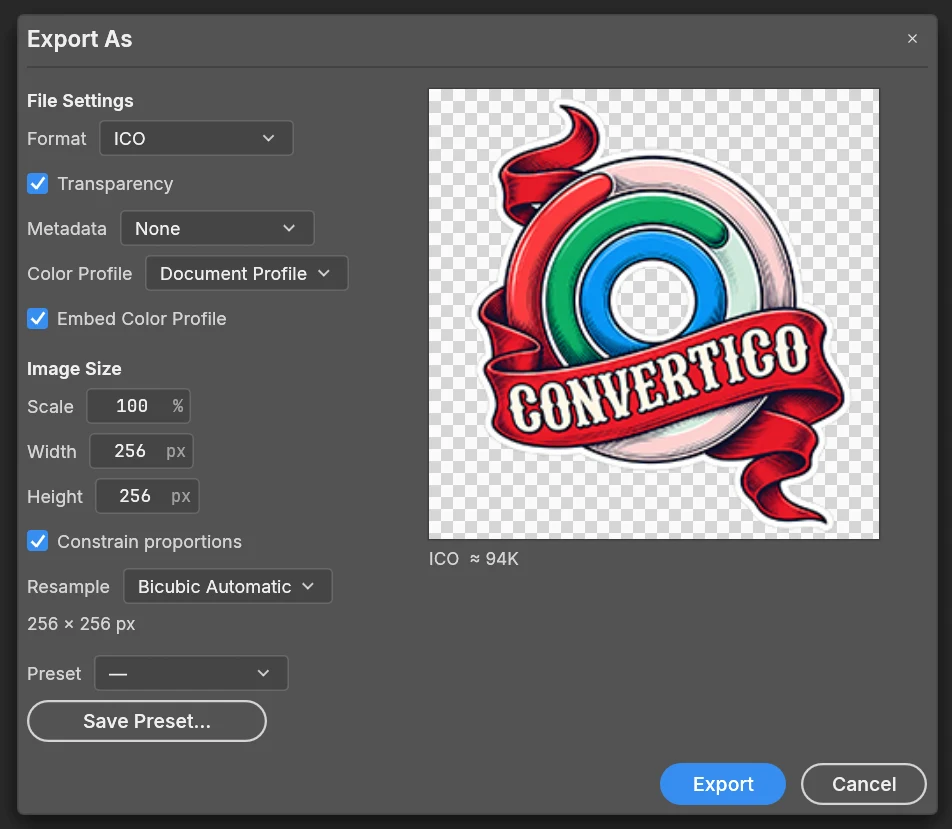
The status bar may say "resolution (DPI) not supported; it will be dropped". That is harmless - ICO files have no DPI.
What You Get: One 256 px Layer
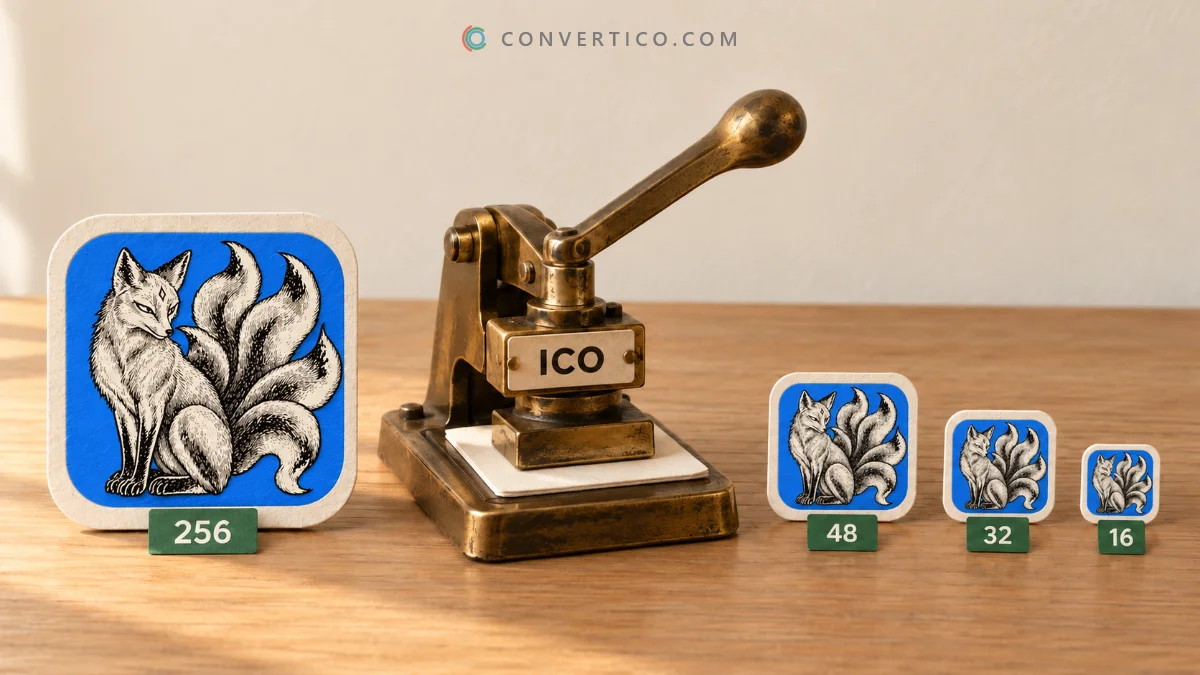
A good ICO holds several sizes of the same icon, so Windows can pick a sharp one for every view.
PhotoCraft saves just one: a 256 px PNG layer. Here is how that plays out:
| Where | Result |
|---|---|
| Windows 10 and 11 | Looks right - Windows scales the 256 px layer down |
| Small views (16 and 32 px) | Scaled, so slightly softer than a hand-sized layer |
| Favicons in browsers | Works, but scaled - a 16 or 32 px layer is sharper |
| Windows XP and old apps | The 256 px PNG layer is skipped, so no icon shows |
Add the Missing Sizes
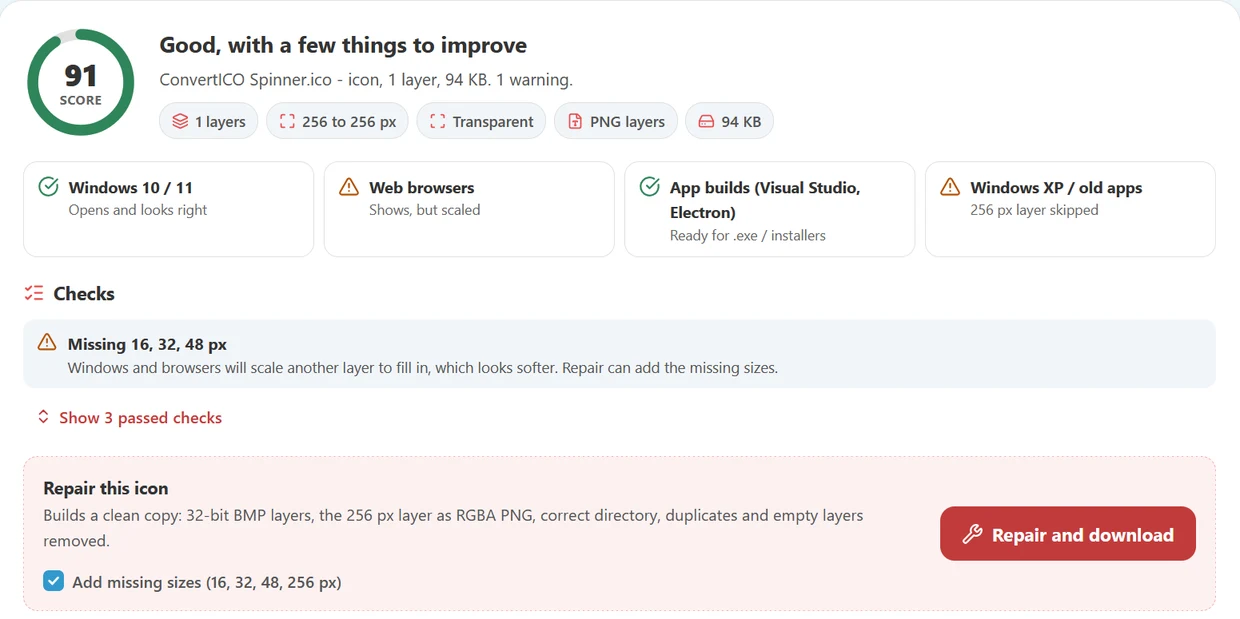
Open your PhotoCraft ICO in the free Icon Resizer:
- Drop the .ico file onto the Icon Resizer - the 256 px size shows as In file.
- Click the empty tiles to add 16, 32 and 48 px, or pick the Windows app or Favicon preset.
- Keep the output as one ICO, click Resize icon and download it.
Everything runs in your browser, so the icon is never uploaded. Want to check the result? The ICO Analyzer shows every layer and confirms nothing is missing.
Prefer to start fresh? Export a 256 px PNG from PhotoCraft and convert it with PNG to ICO.
Making a website icon? The Favicon Package Generator builds the ICO plus the PNG and Apple sizes in one go. The icon size cheat sheet lists which sizes go where.
Tiny sizes need care. At 16 px, thin lines and small text vanish. If your icon has fine detail, draw a simpler 16 or 32 px version in PhotoCraft, save it as PNG and drop it onto that size tile in the Icon Resizer - it replaces the scaled copy.
Common Problems
| Problem | Fix |
|---|---|
| "Image exceeds the format maximum of 256x256" | Resize to 256 × 256 px or smaller, or use Export As and set the size there |
| "Resolution (DPI) not supported" | Nothing to do - the file saves fine |
| White box around the icon | The image had no transparency - remove the background and keep Transparency ticked |
| Icon blank in old programs | Add 16, 32 and 48 px layers with the Icon Resizer |
| Icon looks stretched | The canvas was not square - make it square before saving |
Frequently Asked Questions
Can PhotoCraft save ICO files?
Yes, without a plugin. Choose ICO in Save As or Export As.
Can I choose the ICO sizes in PhotoCraft?
No. It saves one 256 px layer. Add 16, 32 and 48 px afterwards with the Icon Resizer, or build the ICO from a PNG with PNG to ICO.
Why does PhotoCraft say the image exceeds 256x256?
ICO layers can be at most 256 × 256 px. Resize the image, or use Export As and set the size there.
Is a single 256 px ICO enough?
For Windows 10 and 11, mostly yes. For favicons, small views and older programs, add the small sizes.
Where can I download PhotoCraft?
PhotoCraft is free on Free-Codecs.com.
Still stuck? Ask us - we reply faster than a JPEG loads on dial-up.
Add the Missing Sizes
Drop your PhotoCraft ICO in and get 16, 32, 48 and 256 px in one file - free, in your browser.
Icon ResizerThe Bottom Line
- PhotoCraft saves ICO out of the box - no plugin
- 256 × 256 px or smaller, square, transparent
- It writes one 256 px layer - add the small sizes with the Icon Resizer
Design it in PhotoCraft, polish it here - your icon looks sharp at every size.