Make an icon from any image or from your initials - crop it, pick a shape, background, border and shadow, and download a Windows-ready ICO or PNG icons from 16 to 512 px. Only need a quick conversion? Use PNG to ICO.
Drop your image hereor click to browse - you can also paste with Ctrl+VPNGJPGSVGWebPGIFBMPAVIF
Made in your browser - nothing is uploaded
Recent icons in this browser
image.png
Frame your icon
drag to move · scroll to zoom
100%
Font
Text colour
Space between the image and the edge of the icon. 5-10% keeps round and rounded icons from clipping the corners of a logo.
Border colour
The shadow falls under the image inside the icon. It shows best on a solid background with a transparent logo or letters.
Your icon is ready
Sizes in your download
actual size
Use it as a favicon
Rename the ICO to favicon.ico, upload the files to your site root and paste these lines into the page head. Then check it with the Favicon Checker.
Add an image or letters. Drop a PNG, JPG, SVG, WebP, GIF or BMP onto the upload area, paste it with Ctrl+V, or type your initials to make a letter icon.
Frame it. Drag the image to move it and use the zoom slider or mouse wheel to crop. Fit shows the whole image, Fill covers the whole square.
Style it. Pick a shape (square, rounded, squircle or circle), a transparent or solid background, padding, a border and a shadow. Rotate or flip if needed.
Choose the sizes. Use the Favicon, Windows app or App / PNG preset, or click tiles to add sizes from 16 to 512 px. Each tile shows the real result.
Make and download. Choose ICO, PNG or ICO + PNG, click Make icon and download your file.
Which icon sizes do you need?
It depends on where the icon will be shown.
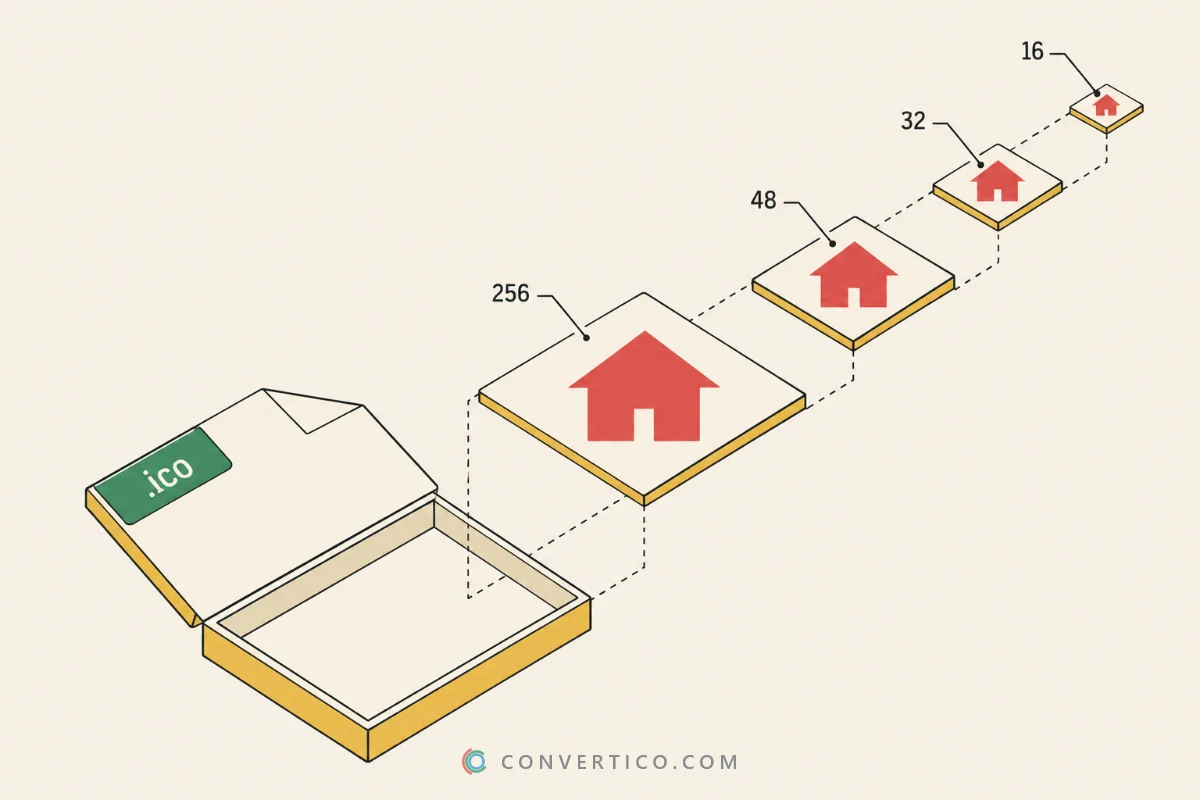
An ICO file holds several sizes of the same picture, and Windows or the browser picks the one that fits the screen.
Use
Sizes
Format
Website favicon
16, 32, 48
ICO
Windows program or shortcut
16, 20, 24, 32, 40, 48, 64, 256
ICO
Folder or drive icon
16, 32, 48, 256
ICO
App, PWA or store listing
64, 128, 256, 512
PNG
The in-between sizes (20, 24 and 40 px) matter on modern screens. With display scaling at 125% or 150%, Windows draws the 16 px icon at 20 or 24 px, and if that size is missing it shrinks a bigger one, which looks soft.
ICO files stop at 256 x 256 px. For a full website icon set with the Apple touch icon and web manifest, use the Favicon Package Generator.
Shapes, backgrounds and padding
Square icons suit Windows programs and favicons, where the icon sits on its own.
Rounded and Squircle give the soft-cornered look of phone and macOS apps, and Circle works well for avatars, profile pictures and badges.
Keep the background transparent for logos, so the icon looks right on both light and dark themes. Choose a solid colour when your image is a photo or has fine edges that would disappear on a dark taskbar.
Padding adds space around the image. A little padding stops a round shape from cutting off the corners of a logo, and keeps your icon the same visual size as the ones next to it.
A thin border keeps a white or pale icon visible on a light taskbar, and a soft shadow lifts a logo off a coloured background.
Make a letter icon from your initials
No logo yet? Letters make a clean icon.
Type one to four letters - your initials, a short brand name or a number - and pick a font style, text colour, shape and background. Because the letters are drawn as text, they stay sharp from 16 to 512 px, with nothing to upload.
One or two bold letters read best at favicon size. An emoji works too; for a full emoji icon set, use Emoji to ICO. For rounded app icons for phones, the App Icon Generator makes every iOS and Android size.
Tips for an icon that works at 16 px
A favicon is only 16 pixels wide, so simple beats detailed.
Crop tight to the most recognisable part of your image - a single letter, a symbol or a face. Bold shapes and strong contrast survive shrinking; thin lines and small text do not.
Watch the 16 and 32 px tiles while you drag and zoom. They show the real result, so you can fix a muddy icon before downloading.
Start from the largest image you have, ideally 512 px or more. A logo in vector format gives the sharpest result - upload the SVG here or use SVG to ICO. Photos with a busy backdrop look cleaner after the PNG Background Remover.
Icon Maker, PNG to ICO or Icon Resizer?
Use the Icon Maker when you want to design the icon: crop the image, choose a shape, add a background and check every size before you download.
Use PNG to ICO for a fast one-click conversion of an image that is already square. To edit an ICO file you already have - add, remove or resize the sizes inside it - use the Icon Resizer.
Need a Mac icon? Pick ICNS (Mac) under Output - or convert an existing icon with ICO to ICNS. Want the original icon out of a program instead? Try the EXE Icon Extractor.
Frequently Asked Questions
Upload a PNG, JPG, SVG, WebP, GIF or BMP image, drag and zoom it into the square frame, choose a shape and background, pick the sizes you need and click Make icon. You get a multi-size ICO file, PNG icons or both.
Yes. Type up to four letters, numbers or an emoji in the Make a letter icon box, then pick a font style, text colour, shape and background. The letters are drawn as text, so every size from 16 to 512 px stays sharp. Like the rest of the Icon Maker, it is free with no sign-up and no watermark. Want a whole emoji icon set? Try Emoji to ICO.
For a website favicon, 16, 32 and 48 px. For a Windows program or shortcut, 16, 20, 24, 32, 40, 48, 64 and 256 px, so it stays sharp at every display scaling. The Favicon and Windows app presets select these for you.
Yes. Choose Square, Rounded, Squircle or Circle under Shape. The corners outside the shape become transparent, or take the background colour you pick.
Yes. With the background set to Transparent, see-through areas of a PNG, SVG, WebP or GIF stay transparent in every size. If your image has a solid backdrop, remove it first with the PNG Background Remover.
Your image has fewer pixels than the icon size needs, so it has to be enlarged - the size tile is marked Soft when that happens. Start from an image of at least 512 x 512 px, zoom out a little, enlarge it first with the Image Upscaler, or use an SVG, which stays sharp at every size.
For a website, upload the file as favicon.ico to your site root and add <link rel="icon" href="/favicon.ico" sizes="any"> to the page head. For a Windows shortcut, right-click it, open Properties, choose Change Icon and browse to the ICO file.
Yes. The Icon Maker runs entirely in your browser: your image is never uploaded, and the ICO and PNG files are built on your device. Your last few icons are kept in this browser only, so you can download them again.