Favicon Extractor

Extract and download favicons from any website - ICO, PNG, SVG, Apple Touch Icons, Android manifest icons and Windows tiles, each with its real size. Making your own instead? Use the Favicon Generator or PNG to ICO.

Try:

How to extract favicons

  1. Enter a website. Type or paste any address, for example github.com. The https:// part is optional.
  2. Extract the favicons. Press Extract favicons. The tool reads the page and lists every icon it declares - ICO, PNG, SVG, Apple Touch, Android and Windows tiles.
  3. Check the real sizes. Each card shows the size in pixels and where the icon comes from. Press Measure to also read the true format, file size and the layers inside ICO files.
  4. Download. Save a single icon, or press Download all to get every icon in one ZIP with a README.
  5. Reuse the markup. Copy the HTML link tags, or send an icon to a converter such as ICO to PNG.

Want to make your own? Use the Favicon Generator, or turn any picture into an icon with Image to ICO.

What icons we extract

Favicon.ico

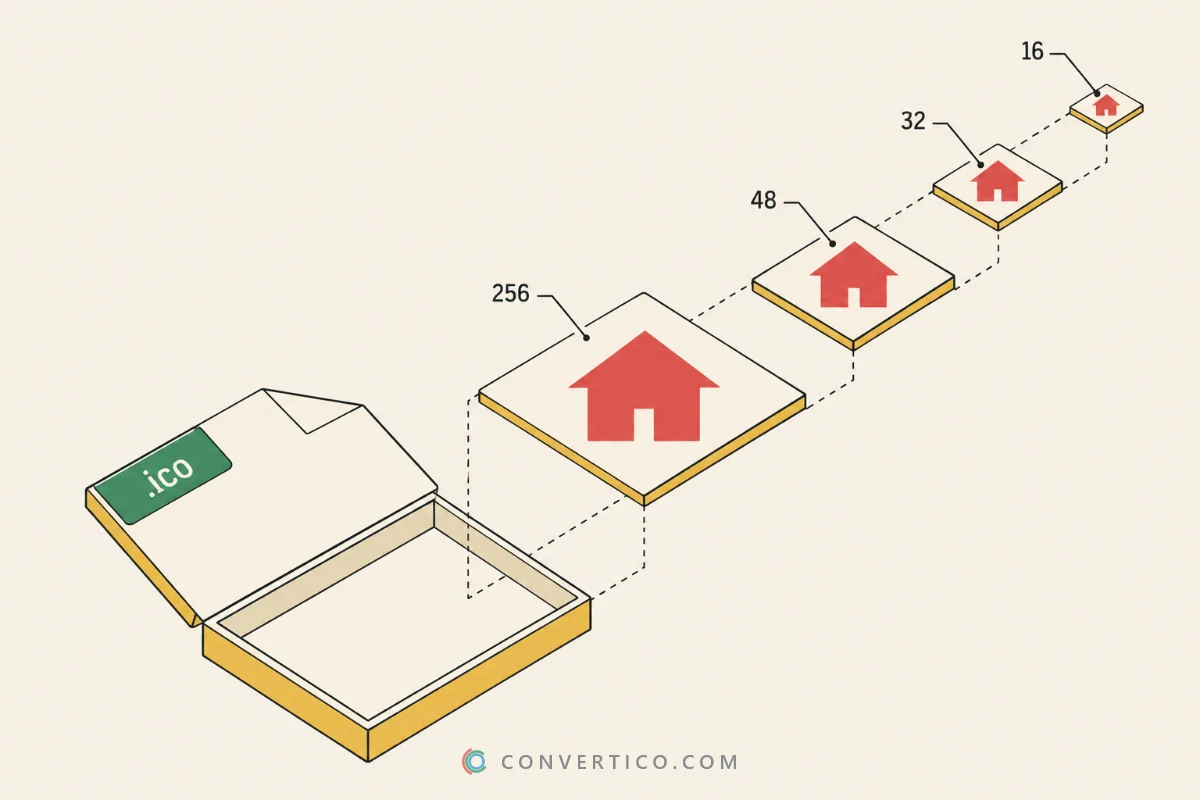
The classic ICO file, often with several sizes from 16 x 16 to 256 x 256 inside. Turn it into PNG files with ICO to PNG.

PNG favicons

Single-size PNG icons from 16 x 16 up to 512 x 512. Need the reverse? Use PNG to ICO.

SVG favicons

Vector icons that stay crisp at any size in every modern browser. Convert one with SVG to ICO or SVG to PNG.

Apple Touch Icons

The 180 x 180 icon iPhones and iPads show when a site is saved to the home screen. Make one with Favicon for Apple.

Android / PWA icons

192 x 192 and 512 x 512 icons from the web app manifest, including maskable ones. Build a set with Favicon for Android.

Microsoft tiles

Windows Start tiles from browserconfig.xml or the msapplication-TileImage tag, used by Edge and Windows.

Safari pinned tab

The one-colour mask-icon SVG that Safari shows for pinned tabs, together with its colour.

Social share images

Optional: the og:image and twitter:image a site shows when its link is shared. Switch them on under Social share images.

Favicon sizes at a glance

Every platform asks for its own size. This is what a complete favicon set contains.

IconSizeUsed for
favicon.ico16, 32, 48 pxBrowser tabs, bookmarks, Windows
favicon.svgScalableModern browsers, dark-mode aware icons
favicon-32x32.png32 x 32Tabs on high-DPI screens
apple-touch-icon.png180 x 180iPhone and iPad home screen
android-chrome-192x192.png192 x 192Android home screen
android-chrome-512x512.png512 x 512PWA splash screen and install
mstile-150x150.png150 x 150Windows Start tiles

Missing a size? The Favicon Resizer makes it from the icon you already have.

Common use cases

Design inspiration

See how top brands design their favicons, from simple letters to detailed marks.

Then build your own with the Favicon Generator.

Web development

Grab a client’s icons during a migration or audit in seconds.

Pair it with the Favicon Checker to confirm every icon loads.

Bookmark managers

Save local copies of site icons for start pages, link directories and dashboards.

Bulk mode fetches the main icon of up to 10 sites at once.

Documentation

Add site icons to presentations, comparison charts and technical docs.

Use ICO to PNG when you need transparent PNGs from an ICO file.

How the extractor treats websites

The tool only reads a site when someone asks for it. It never crawls on its own.

  • It says who it is. Requests carry the FaviconExtractor user agent and a contact address.
  • It obeys robots.txt. A site that disallows us is never read.
  • It asks once. Results are cached for 24 hours, and the same site is never hit twice within 30 seconds.
  • It only fetches what the page declares. No guessing of hidden files.

Own a website and prefer to stay out? Remove your site - it takes effect immediately.

Frequently Asked Questions

Favicons usually belong to their owners. Use extracted icons for reference, inspiration, bookmark managers or documentation.

For your own site, create an original icon with the Favicon Generator - upload any image and get every size you need.

Some sites declare no icons at all, and some block automated requests or ask us not to read them in robots.txt.

Check the address, try the homepage, or test the live icons with the Favicon Checker.

SVG is best for scaling, PNG when you need an exact pixel size, and ICO when you want several sizes in one file.

To switch formats, use PNG to ICO, ICO to PNG or SVG to ICO.

Use the Favicon Generator. Upload a PNG, JPG or SVG and it builds the ICO, PNG sizes, Apple Touch Icon and web app manifest icons.

Need the full set of files and tags? The Favicon Package creates it in one go.

No. The tool only reads public pages, so icons behind a login are out of reach.

If it is your own site, open it in your browser and check the icons with the Favicon Checker.

Icons download at their original size, and a 16 x 16 icon looks soft when it is shown larger.

Pick the Apple Touch Icon (180 x 180) or a manifest icon (512 x 512) for a sharp, large version. Need another size? Try the Favicon Resizer.

The sizes attribute in the HTML is only a promise. Sites often declare 32 x 32 and serve a 48 x 48 file, or the other way round.

The extractor reads the real pixel size of every icon and flags each mismatch. Look inside an ICO with the ICO Analyzer.

Yes. It only reads a site when a visitor asks for it, identifies itself as FaviconExtractor, obeys robots.txt and caches results for 24 hours.

Site owners can remove their site at any time.

Guides & Tutorials

All 40 guides
Comparison ICO vs SVG: Which Icon Format Should You Use? Jun 2, 2025 · 4 min read Read Guide Old vs New ICO Files: Bitmap Icons, PNG Icons and Every Icon Type Explained Sep 28, 2026 · 7 min read Read Guide What Is an ICO File? How to Open, Create and Convert Icon Files Jun 2, 2025 · 4 min read Read