The Short Answer
Use ICO for Windows icons and as a favicon fallback; use SVG for icons on websites and in apps.
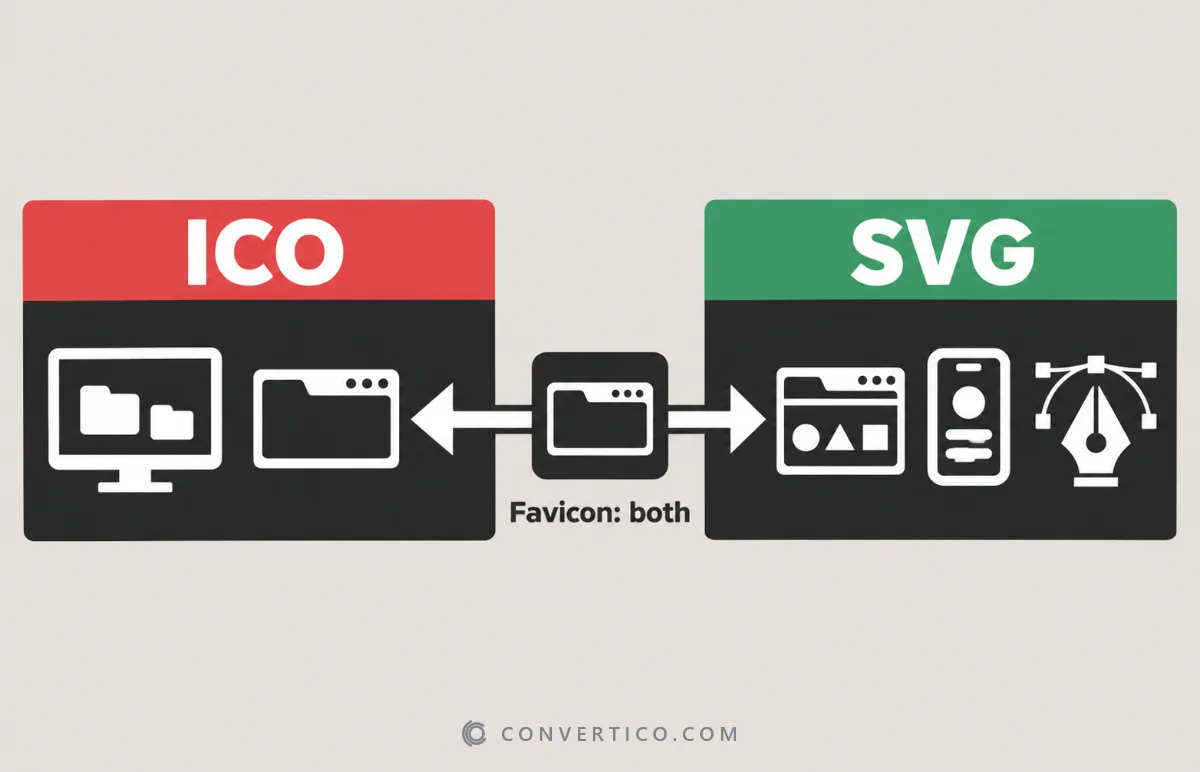
For a favicon, the best setup in 2026 uses both.
Windows itself only understands ICO, so desktop, folder and shortcut icons must be ICO.
| ICO | SVG | |
|---|---|---|
| Type | Raster - pixels, several sizes in one file | Vector - shapes written as code |
| Scaling | Sharp at the sizes inside it | Sharp at any size |
| Transparency | Yes | Yes |
| Animation | No | Yes, with CSS or SMIL |
| Windows icons | Yes - the only option | No |
| Favicons | Works in every browser | Modern browsers - keep a fallback |
| Editing | Needs an icon tool | Any vector editor or a text editor |
What Is an ICO File?
ICO is Microsoft's icon format. One file holds several pictures of the same icon - typically 16, 32, 48 and 256 px - and Windows picks the right one for each view.
Modern ICO files store the big 256 px picture as a compressed PNG and the small sizes as bitmaps. The complete ICO file guide explains the inside of the format.
What Is an SVG File?
SVG (Scalable Vector Graphics) describes an icon as shapes and lines in XML code. It stays perfectly sharp at any size and is usually just a few KB.
You can recolour it with CSS, animate it, and even switch colours for dark mode inside the file. More in vector vs raster.
Need ready-made SVG icons? Browse thousands of free ones in the ProIcons icon collections - then turn any of them into an ICO with SVG to ICO.
Where Each One Works
| Place | ICO | SVG |
|---|---|---|
| Windows folders, shortcuts, apps | Yes | No |
| Browser tab favicon (Chrome, Edge, Firefox) | Yes | Yes |
| Browser tab favicon (all browsers, incl. older Safari) | Yes | Not everywhere |
| Icons inside a web page or web app | Possible, but heavy | Yes - the standard |
| iPhone / Android home screen | No - use PNG | No - use PNG |
| Design and editing | Limited | Yes |
The Best Favicon Setup Uses Both
Give modern browsers the sharp SVG and everything else the ICO:
<link rel="icon" href="/favicon.ico" sizes="32x32">
<link rel="icon" href="/favicon.svg" type="image/svg+xml">
<link rel="apple-touch-icon" href="/apple-touch-icon.png">
Browsers that understand SVG pick it; the rest fall back to the ICO. iPhones use the 180 px Apple touch icon.
The Favicon Package Generator makes all three files from one image, and the icon size cheat sheet lists every size.
Converting Between ICO and SVG
| You have | You need | Use |
|---|---|---|
| SVG logo | Windows icon or favicon.ico | SVG to ICO - crisp at every size |
| SVG logo | A complete favicon | SVG to Favicon |
| ICO icon | An editable vector | ICO to SVG (traced from the largest size) |
| ICO icon | Separate PNG images | ICO to PNG |
| PNG | ICO | PNG to ICO |
SVG to ICO is lossless in practice - every size is drawn fresh from the vector. ICO to SVG has to trace pixels, so it works best on simple, flat icons.
Make Both in One Go
Turn your SVG into a multi-size ICO, or build the whole favicon set.
SVG to ICO Favicon Package GeneratorFrequently Asked Questions
Is SVG better than ICO for favicons?
SVG is sharper and smaller, but not every browser shows it. Use an SVG favicon with a favicon.ico fallback.
Can Windows use SVG icons?
No. Folders, shortcuts and apps need ICO. Convert your SVG with SVG to ICO.
What sizes should my ICO have?
For a favicon: 16, 32 and 48 px. For Windows: 16, 20, 24, 32, 40, 48, 64 and 256 px.
Is ICO an outdated format?
No. It is still the format Windows uses for every icon, and every browser supports favicon.ico.
Can an SVG favicon change colour in dark mode?
Yes. A media query inside the SVG can switch colours when the browser is in dark mode.
Can I convert ICO to SVG?
Yes, by tracing. It works well for simple, flat icons; detailed ones look better kept as ICO or PNG.
Still stuck? Ask us - we reply faster than a JPEG loads on dial-up.
The Bottom Line
- Windows icons: ICO, always
- Web and app icons: SVG
- Favicons: SVG plus an ICO fallback
- Keep your logo as SVG and make the ICO from it
Not rivals after all - just teammates with different jobs.