Favicon Checker

Test how your website favicon appears in browser tabs, Google search results, iPhone and Android home screens. Every problem comes with a plain-English fix and the HTML to paste. No favicon yet? Make one with the Favicon Generator or PNG to ICO.

Browsers Google Search iPhone and Android Try:

How to check a website favicon

  1. Enter the website address. Type or paste a URL such as example.com and press Check favicon. Turn on Check the home page to see exactly what Google reads.
  2. Read the score. The score and the four platform cards show how the favicon works in browsers, Google Search, iPhone and Android.
  3. Fix each issue. Open any red or amber check for a plain-English fix and the HTML to paste, or copy the complete recommended head block.
  4. Check again. Upload the fixed files, turn on Skip the cache and run the check again to confirm everything is green.

Checking an icon file instead of a website? Drop it into the ICO Analyzer.

What does the Favicon Checker test?

favicon.ico file

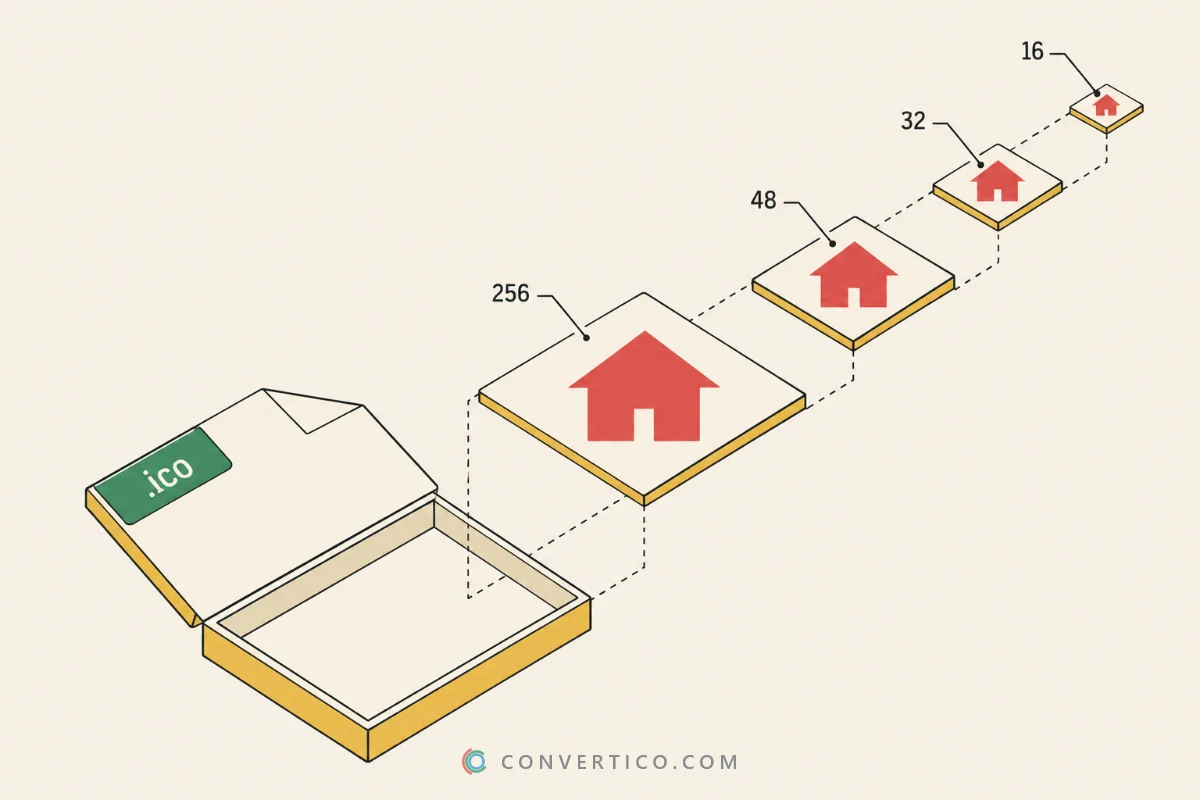
Whether /favicon.ico exists in the root directory, is a real ICO, and holds 16, 32 and 48 px layers.

Link tags and sizes

Every rel="icon" tag, whether the file loads, and whether its declared size matches the real pixels.

SVG favicon

A square viewBox, and whether the icon adapts to dark mode. Make one with SVG to Favicon.

Apple touch icon

The 180 x 180 px icon iOS shows on the home screen, and whether it has a solid background.

Web app manifest

192 and 512 px Android icons, a maskable icon, the app name and theme-color.

Google eligibility

Google’s favicon rules for search results: square, big enough, crawlable and stable.

Google’s favicon rules

Google shows your favicon next to every search result. It only picks one up when these hold.

  • A link tag on the home page. rel="icon", rel="shortcut icon" or rel="apple-touch-icon".
  • Square. A 1:1 image - pad a wide logo onto a square canvas instead of stretching it.
  • Big enough. At least 8 px, but more than 48 px is recommended. Multiples of 48 (96, 144, 192) scale cleanly.
  • Crawlable. robots.txt must let Googlebot read the home page and Googlebot-Image fetch the icon.
  • Stable. Keep the URL the same. A hash that changes on every deploy makes Google re-learn it.

A new favicon appears once Google recrawls your home page. That can take a few days to a few weeks.

The favicon set you need in 2026

FileSizeUsed by
favicon.ico16, 32, 48 pxAll browsers, Windows, feed readers
favicon.svgAnyChrome, Edge, Firefox, Safari tabs
favicon-96x96.png96 pxGoogle Search, high-DPI tabs
apple-touch-icon.png180 pxiPhone and iPad home screens
android-chrome-192x192.png192 pxAndroid home screen
android-chrome-512x512.png512 pxAndroid splash screen, PWA install

The Favicon Package Generator builds all of these, plus site.webmanifest. Need one size only? Use the Favicon Resizer.

Favicon best practices

  • Use multiple sizes. Include 16, 32 and 48 px for browsers, plus 180 px for Apple devices.
  • Keep it simple. Favicons are tiny. Use simple shapes and high contrast so they stay visible.
  • Match your branding. Your logo mark or brand colours make the tab instantly recognisable.
  • Avoid text at small sizes. Words are unreadable below 32 px. Use a symbol or an initial instead.

Want to see what other sites use? Grab any site’s icons with the Favicon Extractor, or browse old versions with Favicon History.

Frequently Asked Questions

Google needs a <link rel="icon"> tag on your home page, pointing to a square image that it is allowed to crawl. Blocking the file or the page in robots.txt, a non-square logo or a tiny 16 px file are the usual reasons it is skipped.

Google also has to recrawl the home page first, which can take days to weeks. Run this check, fix every red item under Google Search, then wait.

Put 16, 32 and 48 px into favicon.ico, add an SVG that scales to any size, a 96 px PNG for Google, a 180 px apple-touch-icon, and 192 and 512 px icons in the web app manifest.

The Favicon Package Generator makes the whole set from one image.

An ICO file holds several sizes in one file and every browser, Windows shortcut and feed reader understands it. A PNG holds one size, but is sharper and lighter at large sizes.

Best practice is both: favicon.ico at the root plus PNG or SVG icons in link tags. Turn a PNG into an ICO with PNG to ICO.

Browsers cache favicons hard. Open the site in a private window, or change the link to something like /favicon.ico?v=2 to force a fresh copy.

For Google, keep the URL stable and wait for the next crawl of your home page.

Yes. Browsers request /favicon.ico on their own, whatever your HTML says, so a missing file fills your logs with 404 errors. RSS readers, PDF viewers and Windows shortcuts also rely on it.

Give it 16, 32 and 48 px layers and add sizes="32x32" to its tag so modern browsers still prefer your SVG.

iOS fills transparent areas of the apple-touch-icon with black, so give the 180 px icon a solid background. Android crops icons into circles or squircles.

A maskable icon in the manifest keeps the logo inside the safe zone. The Favicon for Apple and Favicon for Android tools handle both.

Google needs a square icon of at least 8 px, but recommends more than 48 px. It shows favicons at 16, 24 and 48 px, so sizes that are a multiple of 48 (48, 96, 144, 192) scale without blurring.

An SVG works too. The checker picks the icon Google is most likely to use and tests it.

Results are kept for 10 minutes so a repeat check does not hit your server again - use Skip the cache after a fix. Your recent checks stay in your own browser.

The checker reads robots.txt, reports what it means for Google, and stays away from sites that block it by name or opt out.

Guides & Tutorials

All 40 guides
Comparison ICO vs SVG: Which Icon Format Should You Use? Jun 2, 2025 · 4 min read Read Guide Old vs New ICO Files: Bitmap Icons, PNG Icons and Every Icon Type Explained Sep 28, 2026 · 7 min read Read Guide What Is an ICO File? How to Open, Create and Convert Icon Files Jun 2, 2025 · 4 min read Read