The Short Answer
Photoshop has never been able to save .ico files without help.
The free ICO (Windows Icon) plugin adds the format - copy one file into Photoshop's Plug-ins folder and restart.
Short on time - convert your PSD directly with PSD to ICO, or export a PNG and use PNG to ICO.
Install the Plugin on Windows
- Download the ICO plugin package and unzip it.
- Close Photoshop.
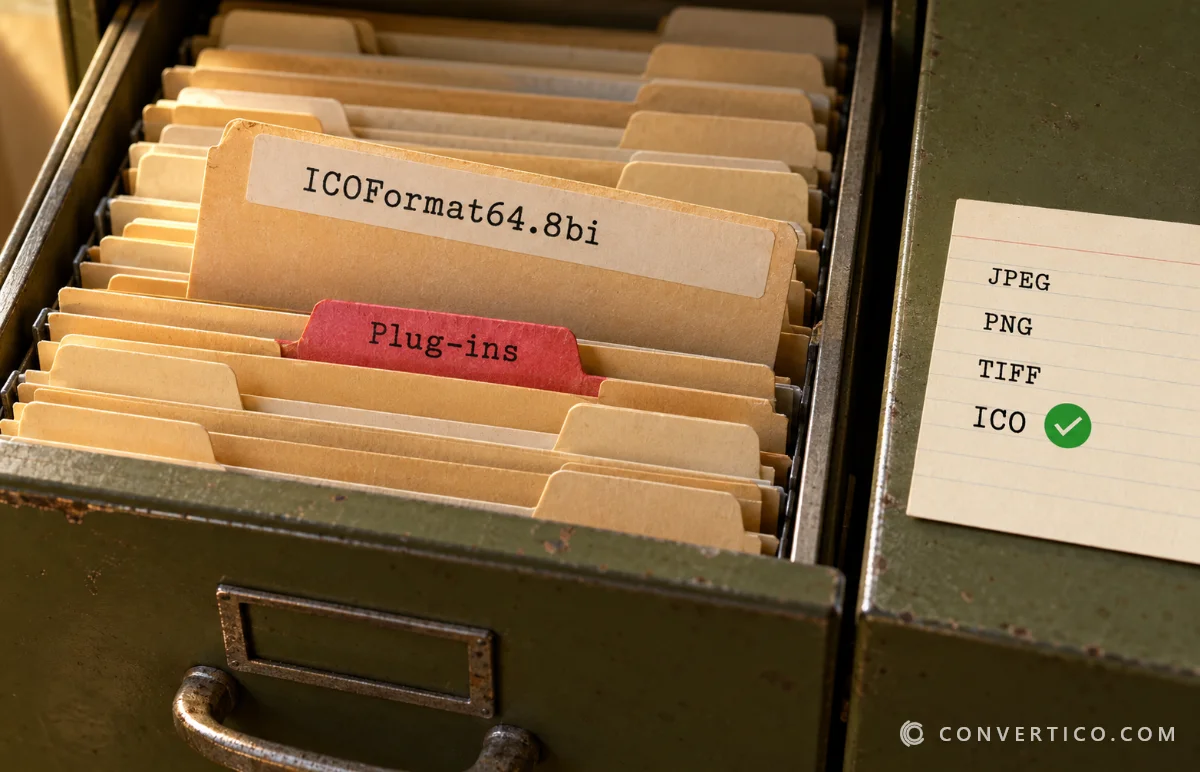
- Copy ICOFormat64.8bi - the 64-bit version - into Photoshop's plug-ins folder, for example C:\Program Files\Adobe\Adobe Photoshop [version]\Plug-ins\. A File Formats subfolder inside it works too.
- Start Photoshop again.
Every Photoshop CC release on Windows is 64-bit, so ICOFormat64.8bi is almost always the right file. The 32-bit ICOFormat.8bi is only for CS6 and older running as 32-bit.
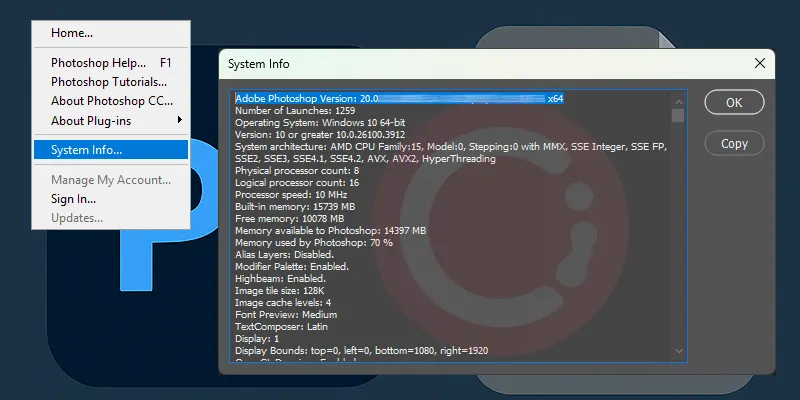
Not sure? Check Help > System Info - the first line shows your version and whether it is 64-bit.
Save Your Image as ICO
- Make sure the image is RGB, 8 bits per channel (Image > Mode).
- Resize it to an icon size - 256 × 256 px or smaller.
- Choose File > Save a Copy (or Save As in older versions) and pick ICO (Windows Icon).
One size per file: the plugin saves the image as a single icon size. A Windows-ready icon needs several sizes in one file (16 to 256 px) - export a 256 px PNG and let PNG to ICO build them all.
Fix "Plug-ins That Failed to Load"
The message "ICO (Windows Icon) NO VERSION - from the file ICOFormat.8bi" means the 32-bit plugin is in a 64-bit Photoshop.
- Close Photoshop and delete ICOFormat.8bi from the Plug-ins folder.
- Copy ICOFormat64.8bi in its place.
- Start Photoshop again.
| Problem | Fix |
|---|---|
| ICO is not in the format list | Switch to RGB, 8 bits per channel, and make the image 256 px or smaller |
| "Requested size is too large" | Resize the canvas to 256 × 256 px or less |
| Plugin does not load on a Mac | Old plugins may not run on Apple Silicon - use PSD to ICO instead |
| ICO looks wrong in Windows | It holds only one size - rebuild it with PNG to ICO |
The Faster Way: No Plugin Needed
For most people the plugin is not worth the setup.
- Have a PSD? Drop it into PSD to ICO and get a multi-size ICO straight away.
- Working in Photoshop? Export a 256 × 256 PNG (File > Export > Export As) and convert it with PNG to ICO.
- Need a full favicon set? The Favicon Package Generator makes ICO, PNG and Apple icons together.
GIMP and the free online editor Photopea can also export ICO without a plugin.
Skip the Plugin
Turn a PSD or PNG into a Windows-ready ICO with every size - free, in your browser.
PSD to ICO PNG to ICOFrequently Asked Questions
Can Photoshop save ICO files?
Not on its own. You need the free ICO plugin, or you can export a PNG and convert it online.
Which plugin file do I need, ICOFormat.8bi or ICOFormat64.8bi?
ICOFormat64.8bi for every Photoshop CC version on Windows. ICOFormat.8bi is only for 32-bit CS6 and older.
Where do I put the ICO plugin?
In Photoshop's Plug-ins folder, for example C:\Program Files\Adobe\Adobe Photoshop [version]\Plug-ins\, then restart Photoshop.
Why is ICO missing from the Save As list?
The image must be RGB, 8 bits per channel, and no larger than 256 × 256 px.
Can the plugin save multi-size ICO files?
It saves one size per file. For a multi-size Windows icon, export a PNG and use PNG to ICO.
Does the plugin work on Mac?
Older Mac versions of the plugin may not run on Apple Silicon. PSD to ICO works on any computer.
Still stuck? Ask us - we reply faster than a JPEG loads on dial-up.
The Bottom Line
- Photoshop needs a plugin to save ICO
- Use ICOFormat64.8bi on any Photoshop CC
- RGB, 8-bit, 256 px or smaller - or ICO will not show up
- For a multi-size icon, PSD to ICO or PNG to ICO is faster
Plugin or not, your icon will be on the desktop in minutes.