Find the Problem Fast
Most failed Twitter downloads come down to one of five things.
Work down this list - it usually takes less than a minute to find the culprit.
| What you see | Most likely cause | Jump to |
|---|---|---|
| "Invalid link" or nothing happens | The link is not a post link | Check the link |
| "No media found" | The post has no video or photo, or it is a link card | No media found |
| "Post not available" | Private account, deleted post or age-restricted | Private or deleted posts |
| The file has no sound | It was a GIF post, or the player is muted | No sound |
| The file will not play | Old player, unfinished download | Will not play |
Nothing on the list fits? Jump to the last section - we are happy to look at it.
Check the Link
Downloaders need the link to one post, not a profile, a search or a home feed.
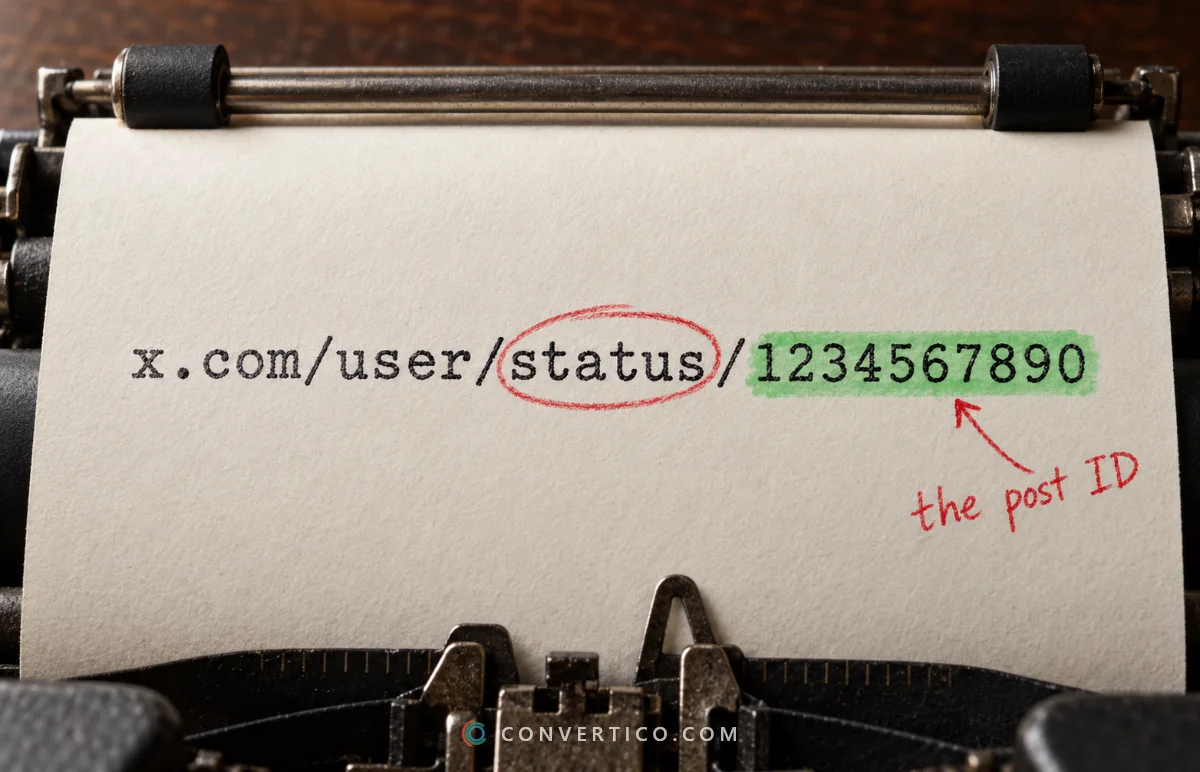
- Good:
x.com/username/status/1234567890 - Also fine: twitter.com, mobile.twitter.com, fxtwitter.com, vxtwitter.com and t.co links
- Will not work:
x.com/username(a profile), search pages, or a link copied from a notification preview
Copy it again with Share > Copy link, which always gives the right format. Extra bits after a ? are harmless.
Not sure? Paste it into the Twitter ID Finder. If it shows a post ID, the link is good.
"No Media Found"
The link works, but there is nothing to download. Check what the post really contains:
- A link card - the picture belongs to a website preview, not the post. Open the website instead.
- A YouTube or other embed - the video lives on another site.
- A quoted post - the media might be in the quoted post. Open that one and copy its link.
- Text only - copy the words with the Tweet Text Extractor, or make an image of the post with Tweet to Image.
Also make sure you used the right tool: videos in the Twitter Video Downloader, photos in the Twitter Photo Downloader, GIFs in the Twitter GIF Downloader.
Private, Deleted or Restricted Posts
Some posts cannot be downloaded by anyone without being logged in as an approved follower.
- Protected accounts - only approved followers can see them.
- Deleted posts - once gone, the media is gone too.
- Age-restricted or sensitive media - X may hide it from logged-out visitors.
- Region-blocked posts - withheld in some countries.
Open the link in a private browser window. If you cannot see the media there, a downloader cannot reach it either. That is a privacy feature, not a bug.
The Video Has No Sound
First, find out what you downloaded.

- It came from a GIF post - GIFs never have sound. X stores them as silent MP4s. See why Twitter GIFs download as MP4.
- The player is muted - check the volume in your video app and on your device.
- The original had no audio - some uploads are silent. Play the post on X with sound on to check.
Want only the sound from a real video? Twitter to MP3 saves it as MP3, M4A or WAV.
The File Will Not Play
- Unfinished download - a file of a few KB is usually broken. Download it again on a stable connection.
- Old player - X videos are standard MP4 (H.264). VLC or your system player opens them; very old apps may not.
- Wrong file type - a GIF post saved as
.gifby another tool may really be MP4 inside. Check with the Image Format Detector. - iPhone shows nothing in Photos - the file is in Files > Downloads until you tap Share > Save Video.
Downloads stuck or blocked? Ad blockers and strict browser extensions sometimes block downloads. Try again with them paused, or in another browser.
Still Not Working?
X changes how it serves media now and then, and a tool can need a quick fix. If a public post with visible media still fails, let us know.
Send us the post link and what you saw through the contact page. We read every message and usually fix these quickly.
Try Again With the Right Tool
Pick the downloader that matches what is in the post.
Video Downloader Photo Downloader GIF DownloaderFrequently Asked Questions
Why does the downloader say my link is invalid?
It needs a post link like x.com/username/status/1234567890. Profile links and search pages do not work. Copy it again with Share > Copy link.
Why does it say no media was found?
The post may only have a link card, an embed from another site, or the media may be in a quoted post. Open that post and copy its link instead.
Can any tool download from private accounts?
No. Protected posts need a login as an approved follower. If a site claims otherwise, be careful with it.
Why is my downloaded Twitter video silent?
It most likely came from a GIF post - those never have sound. Check why Twitter GIFs download as MP4.
Why did my download stop at 0 KB?
The connection dropped or an extension blocked it. Try again, pause ad blockers, or switch browsers.
Do t.co short links work?
Yes - t.co links from shared posts are followed to the original post.
It worked yesterday - why not today?
X sometimes changes how it serves media. Send us the link through the contact page and we will look at it.
Still stuck? Ask us - we reply faster than a JPEG loads on dial-up.
The Bottom Line
Check the link first, then what the post really contains. Most problems end there.
- Use a post link, not a profile link
- Private and deleted posts cannot be downloaded
- GIF posts are always silent
- Still stuck? Send us the link